Fastcorp, LLC
DIVI Setup and Users Guide
Page 23 of 62
Rev 6
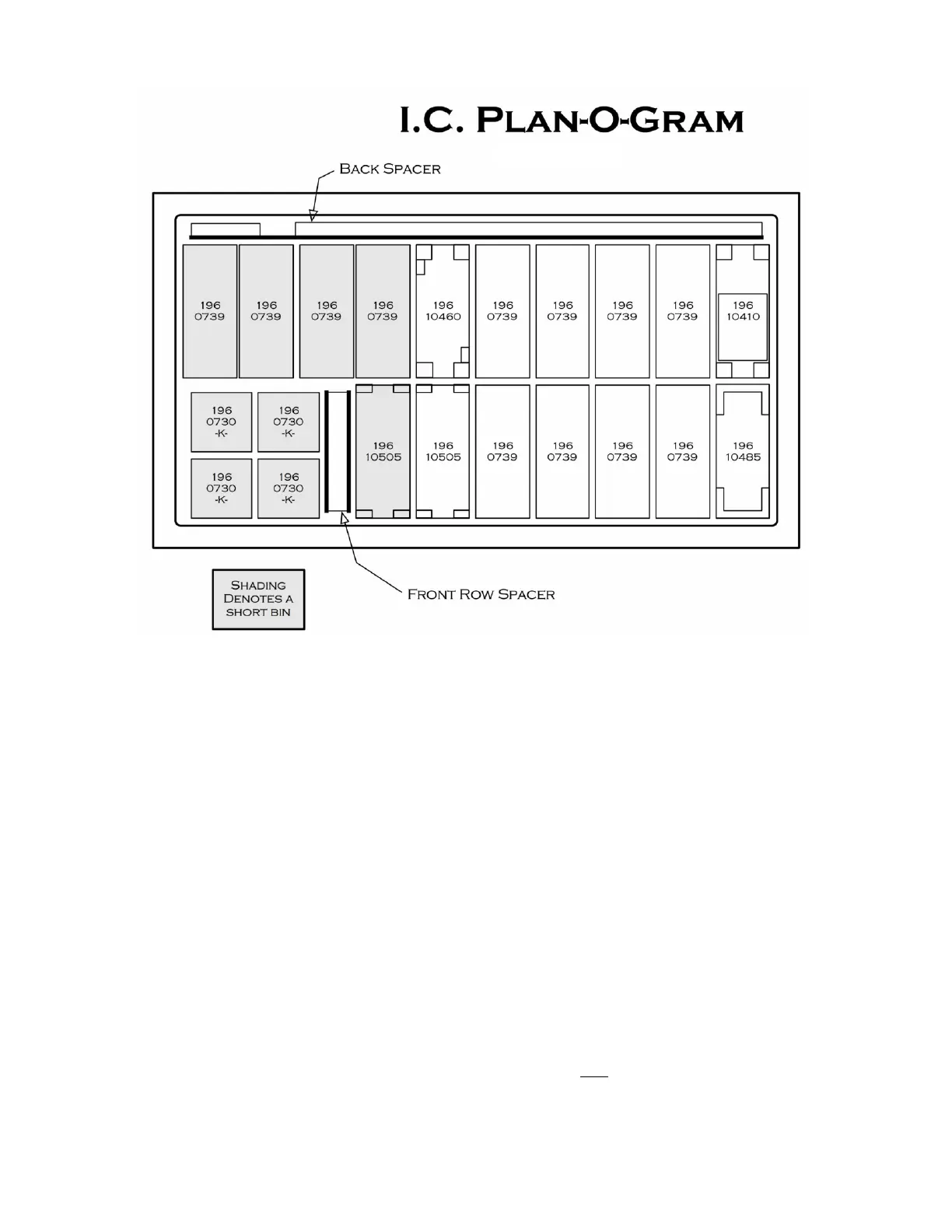
Figure 1 Sample Plan-O-Gram (Aerial View)
26. PROGRAMMING
Introduction. The machine comes from the factory without any preset selection numbers or bin locations in memory. All
information is entered during initial setup and programming. Programming is menu driven and programming menus are
accessed in Service Mode. Simply scroll through the menus until the desired function is reached. Once inside a menu function,
the computer will prompt the user to enter the required information.
The machine enters Service Mode every time the cabinet door is opened.
NOTES:
PRESS THE VAC BUTTON ON THE SERVICE KEYPAD TO DISABLE THE SECURITY-LOCKING FEATURE (DISPLAY READS
- “KEYPAD IS LOCKED”) AND ENABLE USE OF THE CUSTOMER KEYPAD.
Once enabled, press the “*=Next” key on the Customer Keypad to scroll through the Service Menu options.
Press the “D” key to scroll in reverse order.
If the machine is programmed in one location (for example in your warehouse) and transported to another, it is
important to re-level the machine at the new location and perform test vends on each selection. Edit bin
locations as necessary.
Closing the Door - When closing the machine door it is important to NOT over-tighten the T-Handle. Rotate the T-
Handle until the Display changes to, “Please Insert Money”, then turn the handle two additional revolutions and push it in.
Over-tightening the T-Handle may result in damage to the T-Handle Assembly and may prevent normal operation.



 To Next Page