EasyManua.ls Logo

FASTRON. MERIDIAN MEC-118 - User Manual

Default Icon
16 pages
Print Icon
To Next Page IconTo Next Page
Loading...
$5.00 USD
This document contains confidential
information. The dissemination, publication,
copying, or duplication of this document or
the software described herein without prior
written authorization is strictly prohibited.
Toll-Free Technical Support
24 Hours A Day, 365 Days A Year
(from the U.S., Canada and the Caribbean)
1-800-243-9271
the time is right.
w
w
w
.
f
a
s
t
i
n
c
.
c
o
m
1
-
8
0
0
-
F
A
S
T
R
O
N
Operating Guide
MERIDIAN Series
Built-In Cooking Controllers
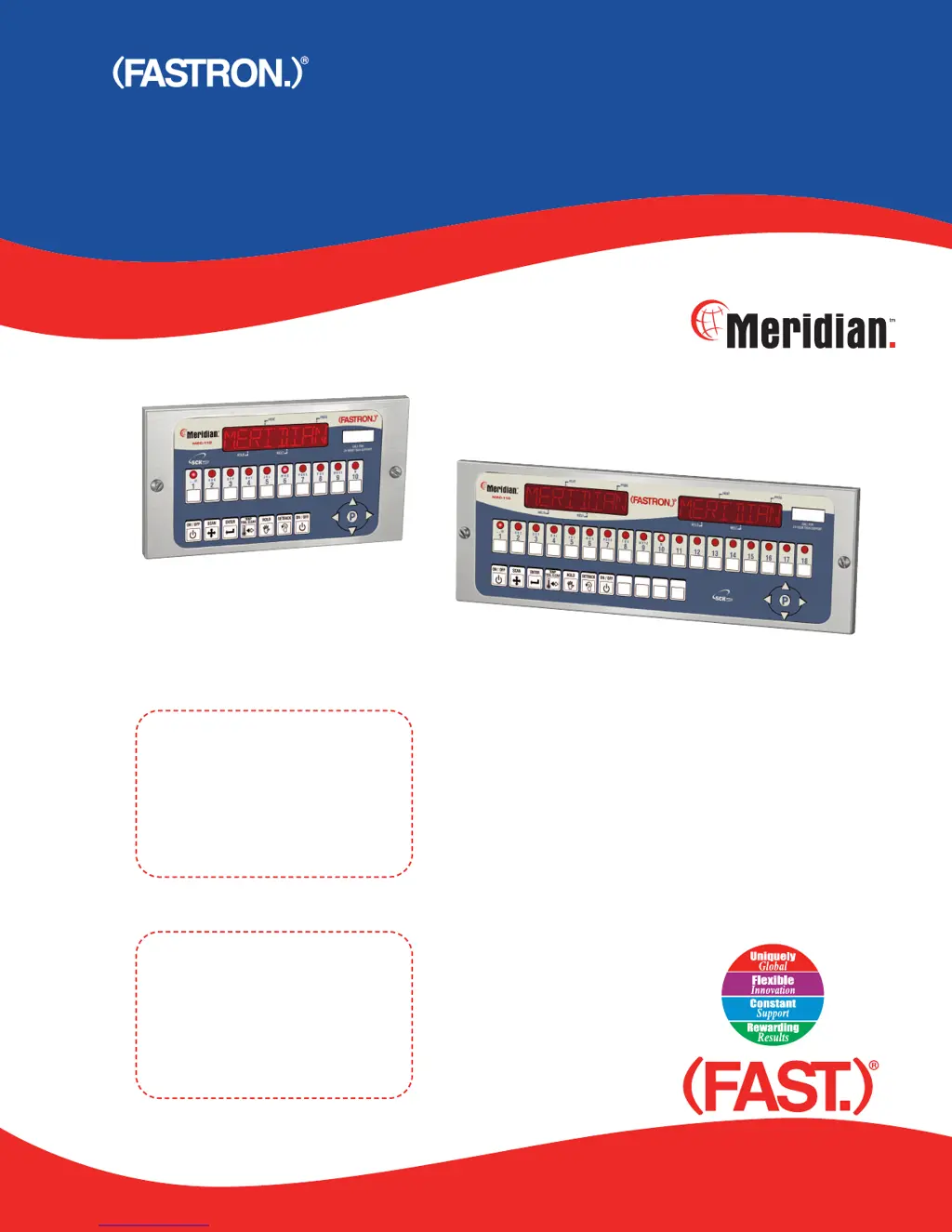
MEC-110 (10 Product Keys)
MEC-118 (18 Product Keys)
MEC-110 (10 Product keys)
MEC-118 (18 Product keys)

Questions and Answers

Summary

Pre-Operation and Installation Guide

Controller Installation Steps

Step-by-step guide for installing the cooking controller.

Meridian Controller Basic Operations

Starting, Stopping, and Alarms

Guide on starting, stopping, and responding to cook cycle completion alarms.

Advanced Meridian Controller Functions

Product Key Programming Fundamentals

Entering Product Key Programming

Steps to enter the programming mode for individual product keys.

Configuring Individual Product Keys

Product Key and System Configuration

System Parameter Setup Guide

Entering system programming mode, CODE, SYSTEM options, and APPLIANC type.

Detailed System Parameter Configuration

Offset Temperature Adjustment

Entering Offset Programming Mode

Procedure to enter offset programming mode using the P key and code.

Customizing Product and Alarm Names

Entering Library Programming Mode

Entering library programming mode with the P key and code.

Troubleshooting Common Controller Issues

Power and Sound Troubleshooting

Solutions for no power or no sound issues.

Button, Probe, and Display Issues

Troubleshooting frozen keys, inoperable keys, and probe errors.

Heating and Temperature Accuracy Issues

Solutions for not heating or reading wrong temperatures.

Summary

Pre-Operation and Installation Guide

Controller Installation Steps

Step-by-step guide for installing the cooking controller.

Meridian Controller Basic Operations

Starting, Stopping, and Alarms

Guide on starting, stopping, and responding to cook cycle completion alarms.

Advanced Meridian Controller Functions

Product Key Programming Fundamentals

Entering Product Key Programming

Steps to enter the programming mode for individual product keys.

Configuring Individual Product Keys

Product Key and System Configuration

System Parameter Setup Guide

Entering system programming mode, CODE, SYSTEM options, and APPLIANC type.

Detailed System Parameter Configuration

Offset Temperature Adjustment

Entering Offset Programming Mode

Procedure to enter offset programming mode using the P key and code.

Customizing Product and Alarm Names

Entering Library Programming Mode

Entering library programming mode with the P key and code.

Troubleshooting Common Controller Issues

Power and Sound Troubleshooting

Solutions for no power or no sound issues.

Button, Probe, and Display Issues

Troubleshooting frozen keys, inoperable keys, and probe errors.

Heating and Temperature Accuracy Issues

Solutions for not heating or reading wrong temperatures.

FASTRON. MERIDIAN MEC-118 Specifications

General IconGeneral
BrandFASTRON.
ModelMERIDIAN MEC-118
CategoryController
LanguageEnglish

Related product manuals