EasyManua.ls Logo

FASTRON. 231-60210-02 - User Manual

Default Icon
20 pages
Print Icon
To Next Page IconTo Next Page
Loading...
Toll-Free Technical Support
24 Hours A Day, 365 Days A Year
(from the U.S., Canada and the Caribbean)
1-800-243-9271
This document contains confiden-
tial information. The dissemination,
publication, copying, or duplica-
tion of this document or the
software described herein without
prior written authorization is strict-
ly prohibited.
229-51339 Rev A
Printed in the USA
© 2007 FAST
$5.00 USD
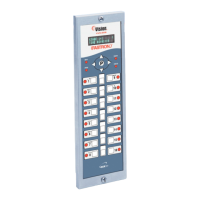
10-Product Cooking Controller
Model 231-60210-02
Operating Instructions
for the MEC-110 with ENHANCED SMS
the time is right.

Questions and Answers

Summary

Installation and Tools

Controller Installation Steps

Step-by-step guide for physically installing the controller onto the appliance.

Operating the Controller

Start a Cook Cycle

Procedure for initiating a cooking cycle using product keys.

Advanced Controller Operations

Product Key Programming Guide

Entering Product Programming Mode

Steps to enter the programming mode using the 'P' key.

Product Key Programming Navigation (CODE, RECIPE, PRODUCT)

Navigating programming using codes, recipes, and product selection.

Product Key Programming Options (ALL, NAME)

Setting all parameters or customizing product display names.

Advanced Product Key Configuration

Setting Cook Time and Temperature per Stage

Programming specific cook times and temperatures for each stage.

Setting Timing Mode (Straight;Flex)

Choosing between straight or flex timing for cook stages.

Configuring Action Alarms (Time, Name, Mode, Tone)

Configuring action alarms including time, name, cancellation mode, and tone.

Product Key Programming: Hold, Weight, and Exit

Exiting Product Key Programming Mode

Steps to exit programming mode and return to operation.

System Programming Configuration

Entering System Programming Mode

Procedure to access system-level programming using a specific code.

System Programming Navigation (COUNTS, PROGRAM, CODE, SYSTEM)

Navigating system programming using counts, program, and code entry.

System Configuration: Appliance Mode, Language, Control Type

Configuring appliance type, language, and control type (temp/time).

System Configuration: Tone Volume, Temp Scale, Preheat, Set Back Time

Setting tone volume, temperature units, preheat mode, and program setback time.

Advanced System Configuration Parameters

Setback Temperature and Count Type

Configuring setback temperature and count type (pieces/pounds).

Filter Count and Disposal Settings

Setting global filter counts and maximum disposal counts.

Polish Oil Time and Filtering Mode

Setting polish oil time and selecting filtering mode.

System Configuration: Units and Timers

Exiting System Programming Mode

Steps to exit the system programming mode.

Offset Programming

Offset Programming Adjustments

Programming Custom Names to Library

Entering Library Programming Mode

Procedure to enter library programming using a specific code.

Library Programming Selection (PRODLIBR, ALRMLIBR)

Selecting Product Library or Action Alarm Library for customization.

Spelling and Saving Custom Names

Using the keypad to spell and save custom product/alarm names.

Custom Library Name Management

Exiting Library Programming

Steps to exit the library programming mode.

Troubleshooting Common Issues

No Power Troubleshooting

Diagnosing and resolving power-related problems.

Button and Probe Issues

Addressing problems with buttons, frozen keys, and probe errors.

Temperature and Heating Issues

Resolving incorrect temperature readings or failure to heat.

Summary

Installation and Tools

Controller Installation Steps

Step-by-step guide for physically installing the controller onto the appliance.

Operating the Controller

Start a Cook Cycle

Procedure for initiating a cooking cycle using product keys.

Advanced Controller Operations

Product Key Programming Guide

Entering Product Programming Mode

Steps to enter the programming mode using the 'P' key.

Product Key Programming Navigation (CODE, RECIPE, PRODUCT)

Navigating programming using codes, recipes, and product selection.

Product Key Programming Options (ALL, NAME)

Setting all parameters or customizing product display names.

Advanced Product Key Configuration

Setting Cook Time and Temperature per Stage

Programming specific cook times and temperatures for each stage.

Setting Timing Mode (Straight;Flex)

Choosing between straight or flex timing for cook stages.

Configuring Action Alarms (Time, Name, Mode, Tone)

Configuring action alarms including time, name, cancellation mode, and tone.

Product Key Programming: Hold, Weight, and Exit

Exiting Product Key Programming Mode

Steps to exit programming mode and return to operation.

System Programming Configuration

Entering System Programming Mode

Procedure to access system-level programming using a specific code.

System Programming Navigation (COUNTS, PROGRAM, CODE, SYSTEM)

Navigating system programming using counts, program, and code entry.

System Configuration: Appliance Mode, Language, Control Type

Configuring appliance type, language, and control type (temp/time).

System Configuration: Tone Volume, Temp Scale, Preheat, Set Back Time

Setting tone volume, temperature units, preheat mode, and program setback time.

Advanced System Configuration Parameters

Setback Temperature and Count Type

Configuring setback temperature and count type (pieces/pounds).

Filter Count and Disposal Settings

Setting global filter counts and maximum disposal counts.

Polish Oil Time and Filtering Mode

Setting polish oil time and selecting filtering mode.

System Configuration: Units and Timers

Exiting System Programming Mode

Steps to exit the system programming mode.

Offset Programming

Offset Programming Adjustments

Programming Custom Names to Library

Entering Library Programming Mode

Procedure to enter library programming using a specific code.

Library Programming Selection (PRODLIBR, ALRMLIBR)

Selecting Product Library or Action Alarm Library for customization.

Spelling and Saving Custom Names

Using the keypad to spell and save custom product/alarm names.

Custom Library Name Management

Exiting Library Programming

Steps to exit the library programming mode.

Troubleshooting Common Issues

No Power Troubleshooting

Diagnosing and resolving power-related problems.

Button and Probe Issues

Addressing problems with buttons, frozen keys, and probe errors.

Temperature and Heating Issues

Resolving incorrect temperature readings or failure to heat.

FASTRON. 231-60210-02 Specifications

General IconGeneral
BrandFASTRON.
Model231-60210-02
CategoryController
LanguageEnglish

Related product manuals