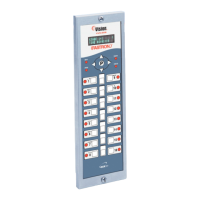
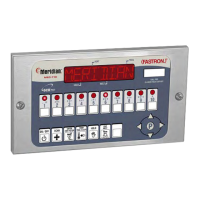
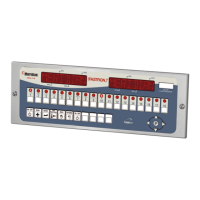
Need help?
Do you have a question about the FASTRON. VC-210 and is the answer not in the manual?
Consult appliance operator's manual for instructions and safety warnings before use.
Steps to remove the old FAST controller from the fryer header cavity.
Steps to install the new FAST controller into the fryer header cavity.
Details on keys like SCAN, EXIT FILL, EXIT COOL, and Programming/Product buttons.
Information on the VFD, menu strip, SCK Link LED, and indicator lights.
Definitions for Instant On, Polish, Polish Later, Polish Now, and Stagger Times.
Procedure for plugging in, powering on, and initiating a cook cycle test.
How to cancel a cook cycle and its effect based on completion percentage.
How to review programmed recipes and view current/set temperatures.
Instructions for initiating 'Polish Now' and 'Polish Later' commands.
Methods to display time of day and appliance/download information.
Step-by-step guide for replacing the controller's menu strip.
List of available replacement parts for the VC-210 controller.
Steps to enter programming mode and enter the system passcode.
Procedure for selecting or confirming the appliance type, which may clear recipes.
How to select the controller's display language.
Configure tone levels, temperature display mode, and profile timing for cook cycles.
Set setback time, setback temperature, and quantity prompt time parameters.
Configure global filter lockout, repair functions, and daylight savings mode.
Set stagger time, number of RQI trackers, and SCK status sound.
Configure communication error display and exit programming mode.
Steps to enter programming mode and access product or alarm name libraries.
Procedure for modifying or adding product/alarm names, including cursor and case control.
How to save library modifications, add new entries, or cancel changes.
Steps to enter programming mode and access clock/date settings.
Procedure for setting the current time, year, month, and day.
Steps to enter programming mode and access SMS activation settings.
Configure SMS activation events, durations, and delays based on selected schemes.
Details for SMS activation schemes 2, 3, and 4, including event times and durations.
Procedure to exit SMS activation programming.
Steps to enter programming mode for Instant On feature.
Procedure to program Instant On values for specific products.
Steps to enter programming mode and access SCK address settings.
Configure the SCK address and network node for the controller.
 General
| Brand | FASTRON. |
|---|---|
| Model | VC-210 |
| Category | Controller |
| Language | English |


 To Next Page