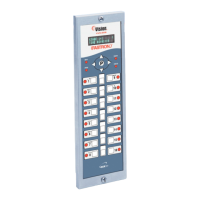
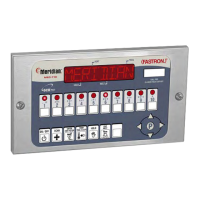
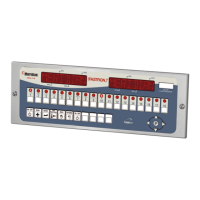
Process Controllers
FAST Lit. Part No. 229-51311 Rev. E (MANAGER) 24SEP2010 Page 3
2005-2010 Food Automation – Service Techniques, Inc. All Rights Reserved
This document contains confidential information. The dissemination, publication,
copying, or duplication of this document without prior written authorization is
strictly prohibited.
Parts Description – (FASTRON.)
VC-210 Controller
• Used for recipe review during idle.
• Used to review time remaining during multiple cooks (press &
• Depressing this key for three seconds will force a filter that will
reset all internal filter counters.
3. VFD (Vacuum Fluorescent Display)
• Bright blue for easy viewing. Displays programming and cook
• Used to access programming mode and change parameters.
•
Menu items are printed directly on easy-to-change menu strip.
•
LED will light when communications is enabled.
7. IR Port (Infrared) – Optional
• Used to download programming from wireless device.
• Used to activate cook cycles and for certain programming
9. Tech Support/Serial # Window
•
Easy access to FAST tech support center.
•
Light up when product key is activated.
• Used to exit setback (COOL) mode. Also used to cancel hold
alarms, as well as scroll through active holds when held down.



 To Next Page