Process Controllers
FAST Lit. Part No. 229-51311 Rev. E (MANAGER) 24SEP2010 Page 2
2005-2010 Food Automation – Service Techniques, Inc. All Rights Reserved
This document contains confidential information. The dissemination, publication,
copying, or duplication of this document without prior written authorization is
strictly prohibited.
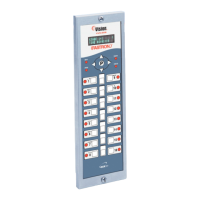
Installing the (FASTRON.) VC-210 Controller
REMOVE EXISTING (FASTRON.)
Unplug fryer
Remove the two (2) screws from the bezel securing the (FASTRON.) controller in the header cavity. Remove
the bezel.
Remove the controller by disconnecting the 9-pin and 2-pin connectors. (Several pressure and split vat fryers
will have additional connectors that will have to be removed.)
INSTALL THE NEW (FASTRON.)
Remove the two (2) 5/32” screws from the NEW controller.
Plug the 9- and 2-pin connectors into the corresponding connectors in the fryer. (Several pressure and split vat
fryers will have additional connectors that will have to be connected.)
NOTE: The 3-pin connector coming from the controller has no corresponding connector. It is for future use.
Insert the controller back into the fryer header cavity. Re-attach the bezel (frame) to the controller.
Secure the controller and bezel to the fryer header with the two (2) 5/32” hex screws provided.



 To Next Page