EasyManua.ls Logo

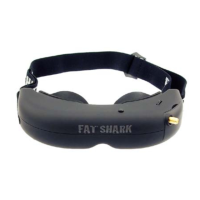
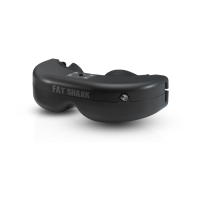
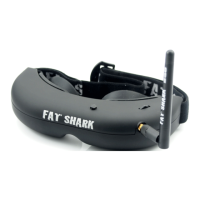
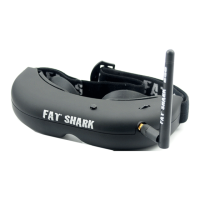
Fat Shark Attitude V5 - User Manual

Fat Shark Attitude V5
9 pages
Print Icon
To Next Page IconTo Next Page
Loading...
Attitude V5
MODEL FSV1049
USER MANUAL
Revision D 05/11/2019
For more product information, please visit:
www.fatshark.com
All Rights Reserved

Questions and Answers

  • S
    Samantha BullockAug 16, 2025
    What to do if Fat Shark Accessories lens fogs up?
    • T
      taylorericAug 16, 2025
      Condensation can occur when cooler optical lenses are heated by your humid face. To resolve this, power the anti-fog mini fan on the faceplate from the headset battery. Each press of the button will run the fan for 8-10 minutes.
  • E
    Erica VegaAug 22, 2025
    Why is my Fat Shark Attitude V5 image quality poor, dark, or lacking contrast?
    • T
      Tamara RobertsAug 22, 2025
      If you're experiencing a poor image quality with your Fat Shark Accessories, where the image appears dark or lacks sufficient contrast, try adjusting the display using the contrast/brightness button.
  • J
    Jonathan ScottAug 25, 2025
    What to do if Fat Shark Accessories have short range?
    • V
      Virginia PittsAug 26, 2025
      If you're experiencing a short range with your Fat Shark Accessories, consider the following: - Ensure the correct antennas are installed. - Check for other sources of interference. - Ensure the transmitter has a clear line of sight to the headset. Test in a wide open area, away from any obstructions.
  • A
    Aaron GarciaAug 27, 2025
    What to do if Fat Shark Attitude V5 have short range (con’t)?
    • S
      susanoconnellAug 27, 2025
      If you're still experiencing short range with your Fat Shark Accessories, make sure a compatible antenna is installed. Specifically, a 2.4Ghz system must use a 2.4Ghz antenna, and a 5.8Ghz system must use a 5.8Ghz antenna. It is recommended not to use antennas from other manufacturers, as they may be dual band or have a reverse SMA (no center pin to connect to the receiver).
  • N
    nathan76Aug 30, 2025
    Why does my Fat Shark Attitude V5 Accessories head tracker drift or have excessive error correction (jumpy)?
    • W
      william70Aug 30, 2025
      If your Fat Shark Accessories head tracker drifts or exhibits excessive error correction (appears jumpy), it could be due to operating indoors, which affects the compass sensor. Try using it outside. Also, the RC radio might be interfering with the compass sensor, so keep the RC controller antenna away from the headset.
  • S
    Sandra Gregory DDSSep 2, 2025
    What to do if my Fat Shark Attitude V5 Accessories image is glowing dark with no image?
    • T
      Troy BradySep 2, 2025
      If your Fat Shark Accessories display is glowing dark but showing no image: - If you are using a wireless module, turn on the RX power on the bottom of the grey headset. - If you are using an AV in cable, check the video source. - Ensure the TX is on and the camera connections are solid.
  • J
    James AlvarezSep 5, 2025
    What to do if Fat Shark Attitude V5 Accessories have lots of interference lines (horizontal lines)?
    • C
      Carrie PadillaSep 5, 2025
      If you're experiencing a lot of interference lines (horizontal lines) with your Fat Shark Accessories, try the following: - Choose a cleaner channel with 2.4Ghz. - Change to a 5.8Ghz AV receiver. - Check that the correct frequency antenna is used.
  • H
    hoodanneSep 7, 2025
    How to resolve interference lines when using 2.4Ghz RC controller with Fat Shark Attitude V5 Accessories?
    • A
      Amy MooreSep 7, 2025
      If you are experiencing interference lines (horizontal lines) when using a 2.4Ghz RC controller with your Fat Shark Accessories, it may be due to harmonic interference from the controller. Check to see if this is the case by turning the radio on and off. You can also try using CH1 on the TX/headset, as Ch1 is not affected by 2.4Ghz. Finally, ensure the correct frequency antenna is used.
  • J
    Juan RosarioSep 10, 2025
    Why is my Fat Shark Attitude V5 Accessories head tracker not working (no response or beeping)?
    • T
      Timothy ClarkSep 10, 2025
      If the head tracker on your Fat Shark Accessories is not working (no response or beeping), make sure the module pins are aligned correctly into the headset socket.
  • K
    Keith LeeSep 10, 2025
    What to do if Fat Shark Attitude V5 show a completely dark display with no image?
    • P
      perezpaulSep 12, 2025
      If your Fat Shark Accessories display is completely dark, the issue is likely due to no power being supplied. Check your power connections to ensure they are properly connected.

Summary

Introduction

Product Compatibility

Compatibility with video standards and specific product testing.

Product Contents

Controls Diagram

Controls

Explanation of buttons for brightness, contrast, channel selection, and volume.

DVR Operation

AV Cable Pinout

Details on the 3.5mm AV connector pin assignments for video and audio.

External Video Recording

Instructions for connecting AV cable for external video recording.

5.8 GHz Diversity OLED Receiver

Module Specifications

Technical specs for OLED display, button functions, power, sensitivity, and video format.

18650 Headset Battery Pack

Specifications

Headset Specifications

Details on optics, display, electrical, wireless receiver, interfaces, color, and fan plate.

Accessories

List of included items: headset, receiver, antennas, battery, and carrying case.

Mechanical

Physical dimensions, weight, and package size specifications for the headset.

Operational Advice

Technical Support

Trouble Shooting

Warranty

Fat Shark Attitude V5 Specifications

General IconGeneral
BrandFat Shark
ModelAttitude V5
CategoryAccessories
LanguageEnglish

Related product manuals