21
There is a “Group Mode” combo list providing the “Group Mode” selection, its
meaning is as follows:
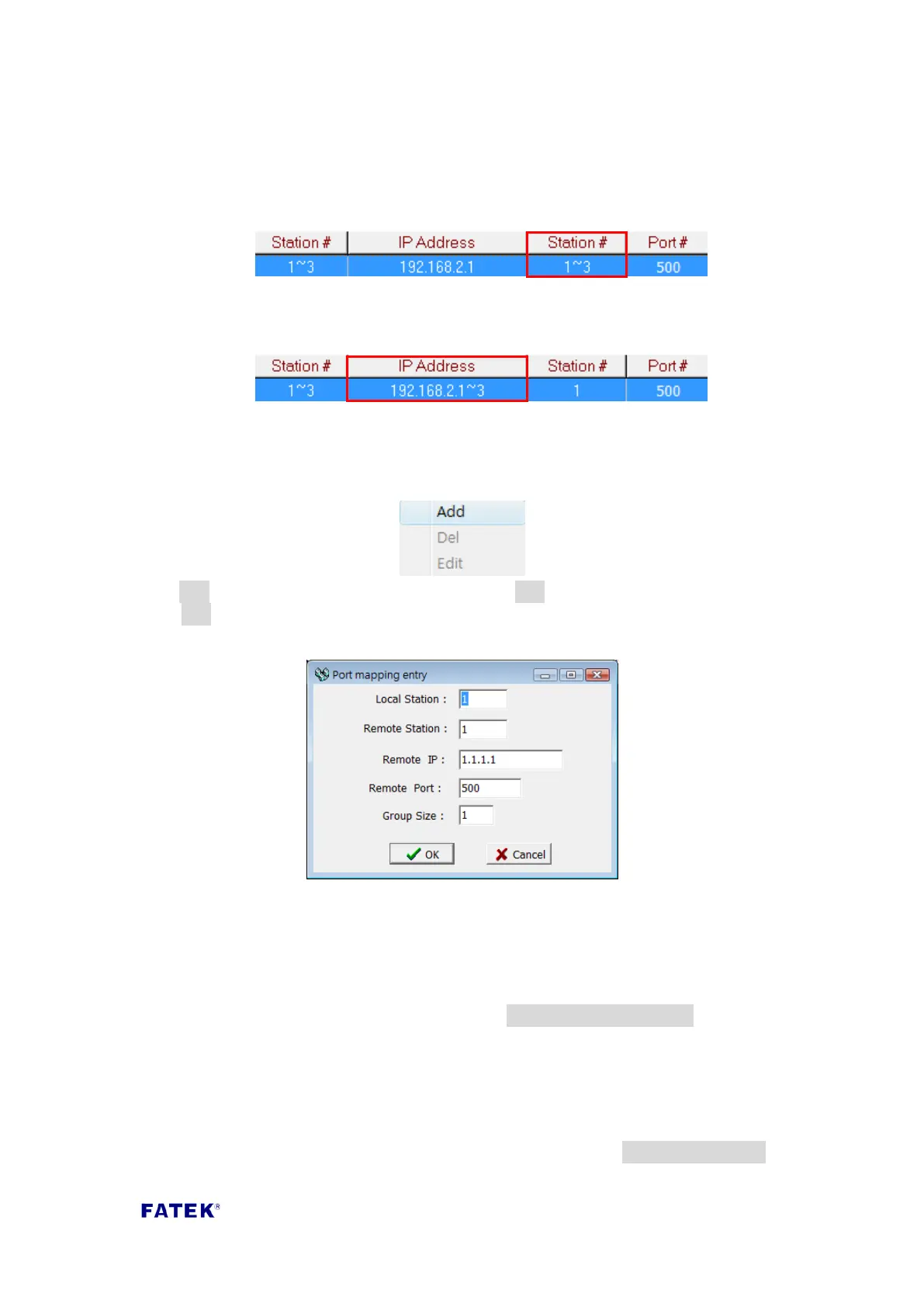
Consecutive Station No.: Consecutive station number. When the Group Size is
specified, its contents will be set to a fixed network address and continuous
station numbers, as shown in the figure below:
Consecutive IP No.: Consecutive network address. When the Group Size is
specified, its contents will be set to consecutive network addresses and a fixed
station number, as shown in the figure below:
Note: Group mode setting will apply to entire table; data can not be set entry by
entry.
When setting is needed, you can move the mouse cursor into the table and
right-click the mouse, a menu will appear as shown below:
Click Add to add a new mapping data entry. Click Del to delete a mapping data entry.
Click Edit to modify a mapping data entry. The following screen will appear after
clicking Add:
The following is the meaning of each field:
Local Station: Represents the remote PLC’s station number at the local end.
Remote Station: Represents the station number of the mapped remote PLC.
Remote IP: The IP address of the remote PLC.
Remote Port: The IP port number of the remote PLC.
Group Size: When Group mode is set to Consecutive Station No., a mapped
group station numbers can be defined one at a time; for example, if you want to
set the local station numbers 10~19 to map the remote station numbers 20~29,
and the remote IP is 192.168.1.3, you can set Local Station=10, Remote
Station=20, Group Size=10, Remote IP=192.168.1.3, the Remote Port is generally
set to 500. A maximum of 18 group mapping can be set within the Ethernet
interface conversion module. When Group mode is set to Consecutive IP No., a
group IP mapping can be defined at once for this setting.



 To Next Page