67
Listen Port – PLC: Specify a communication port as the maintenance center’s
external service port; the default value is 5700.
Listen Port – Application: Specify a IP port number as the application software’s
external service port. If it’s the Winproladder application software, it is set to
500.
Start Application Automatically …: When the workstation and maintenance
center has successfully connected, if the application program needs to be
automatically started up, this option must be checked.
Application – Path: When the workstation and maintenance center has
successfully connected, if the application program needs to be opened, the path
of the application program to be opened must be entered here.
Application – Argument: If additional command parameters need to be added
when opening the application program, enter it in this field.
The default content of this page is set when the application program is Winproladder.
Unless there are other application considerations, there are no need for
modifications to the contents of this page.
8.2 Guest List
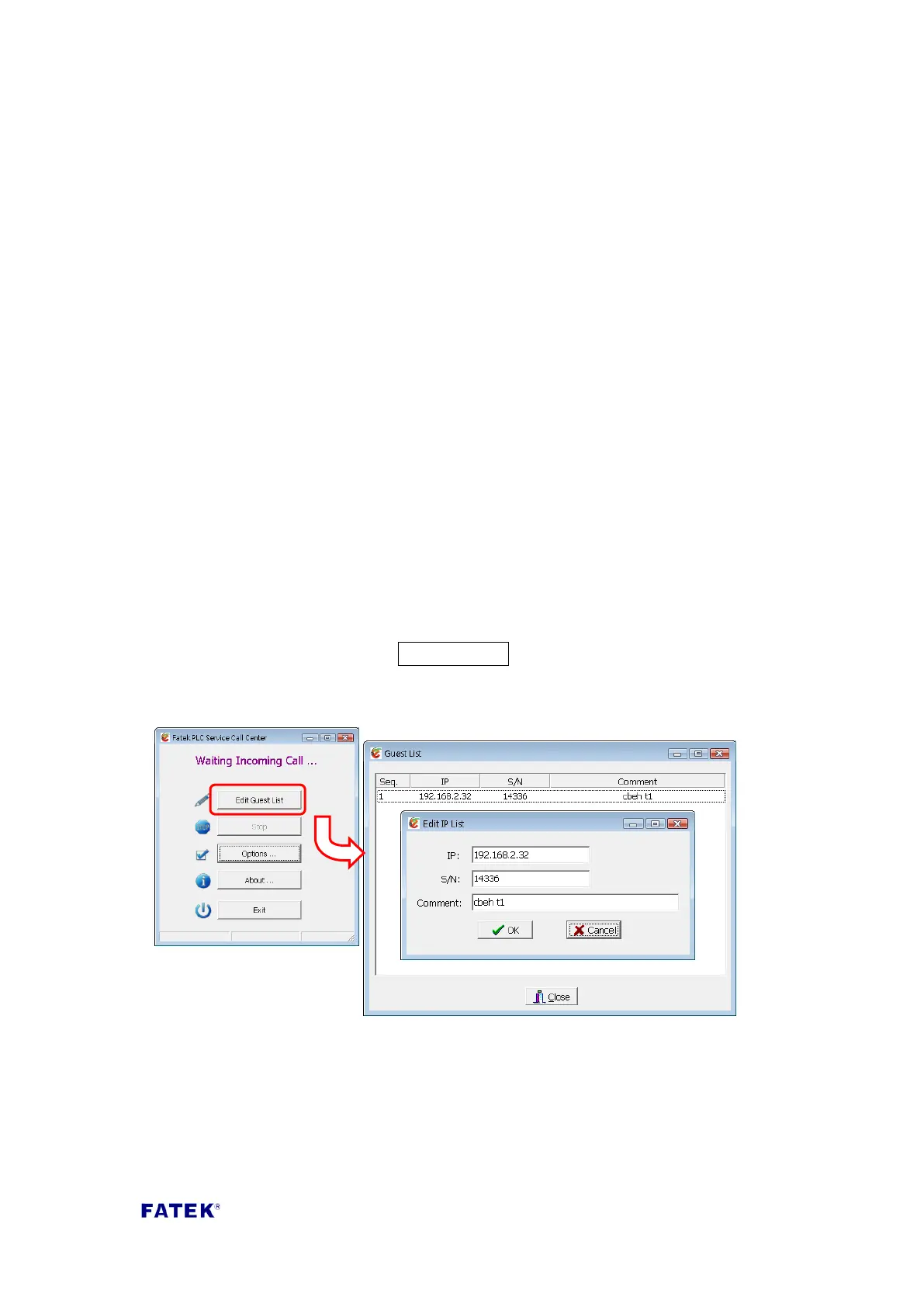
The main function of the guest list is when a connection request is received, a
maintenance center personnel connection source identification can be provided at
first time to use as a basis for follow-up processing; a simple example is shown in
the figure below. First click the Edit Guest List button, then right-click in the guest
list to add a workstation information entry; the definition of each field are as
follows:
IP: The network address of the workstation requesting connection.
S/N: The factory serial number of the FBs-CBEH series equipped by the
workstation requesting the connection.
Comment: The text description information of the corresponding remote
workstation, such as company name and machine model number etc.
When the guest list is created, the following two figures are two connection requests
received by the maintenance center from different IP workstations. The contents of



 To Next Page