24
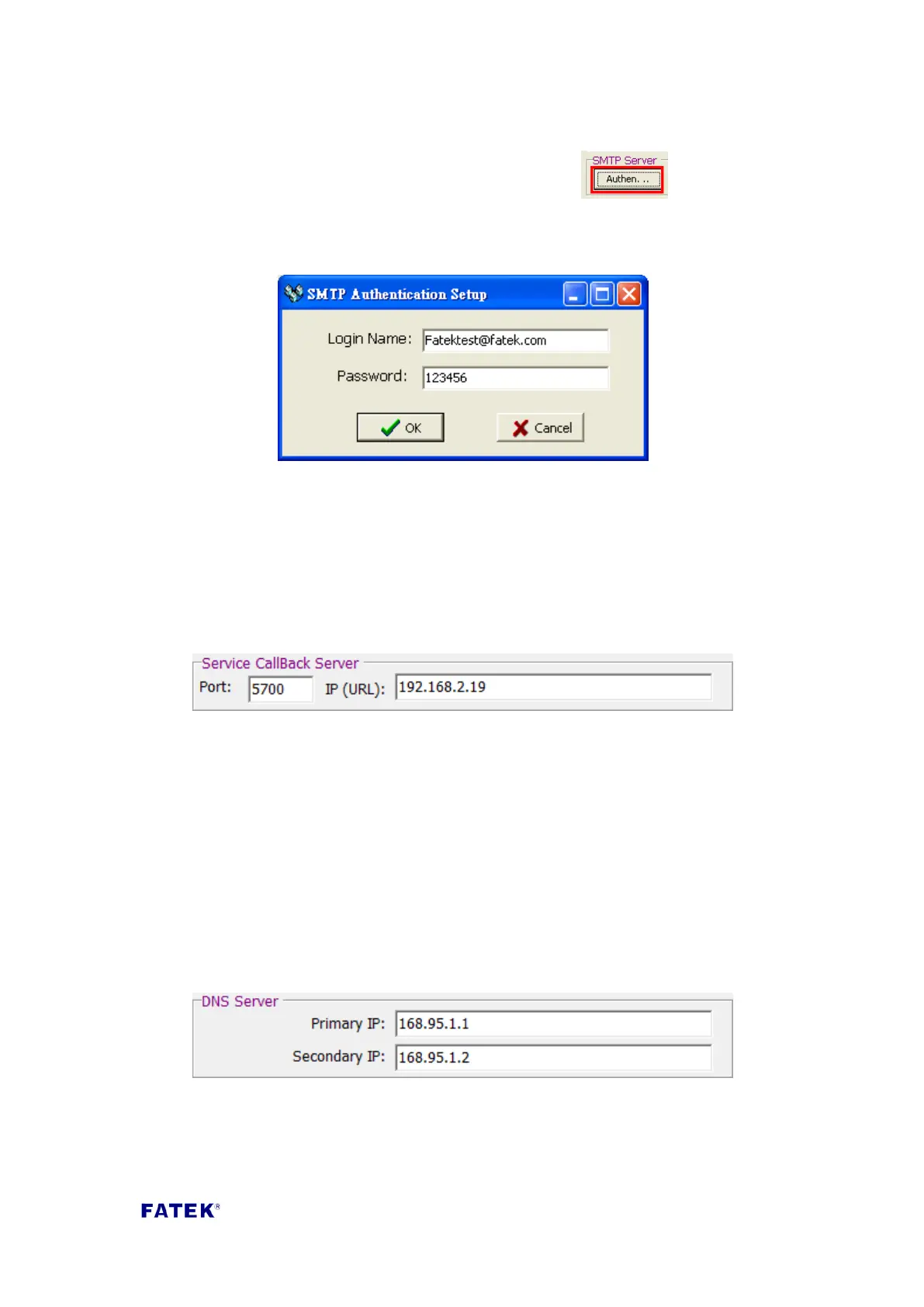
Attention: Generally, SMTP Server does not need security check. When you realized
SMTP Server needs security check, please chooses and then the
following message will be shown. Fill in your login name and password of SMTP
Server
Login Name:SMTP Server Account。
Password :SMTP Server Password。
Service Call Back Server: The CBEH expansion board provides the automatic service
callback function; to use this function, the user must first fill in the network address
and port number of the working callback server.
Port: Service center’s IP port number.
IP (URL): Service center’s IP address or domain name.
DNS Server: Domain Name Server. When the CBEH’s external server IP address is
filled in with the domain name format, it will require the use of external domain
name query services. To use this service, the user must first fill in the data of the
following fields; you can refer to the Windows operating system’s primary DNS and
secondary DNS fields in the internet option settings to perform this setting. If the IP
acquisition mode is set to dynamic (DHCP) mode, then setting is not needed. The
DNS setting in the figure below is the DNS server location of Chunghwa
Telecommunications:
Primary IP: Main DNS Server.
Secondary IP: Backup DNS Server.



 To Next Page