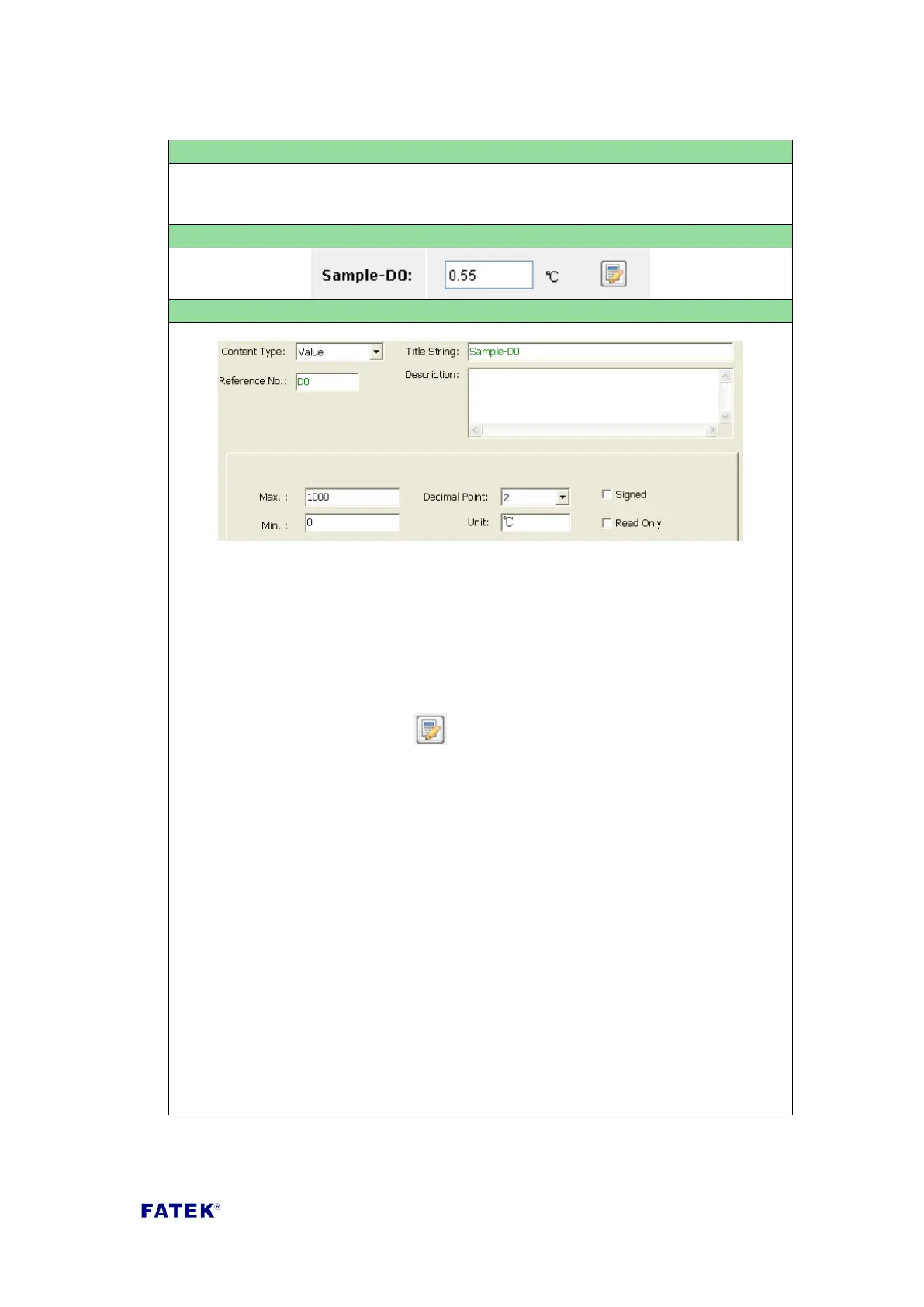
Content Type: Select “Value”.
Title String: The title description of this Value item, such as the text displayed in
the Sample Screenshot “Example-D0 Status”.
Reference No.: The reference number of the register to be controlled. The
allowable reference are R, D, DR, DD type.
Read Only: If this option is not checked, it means that this value item can be
altered and the keyboard icon “ “ will appear, the register’s data content can
be modified. If checked, the keyboard icon will not appear and this value item
only has the display function; the data content can not be changed.
Max.: When the control item is in a writable status, this sets the upper limit for
the value that could be entered.
Min.: When the control item is in a writable status, this sets the lower limit for
the value that could be entered.
Decimal Point: Add a decimal point symbol to the value displayed on the display
value; this only displays on the application, it does not have any effect on
register content.
Unit: The text is displayed behind the value; normally used to denote the value
unit. This only displays on the application, it does not have any effect on
controlled register.
Signed: If this box is checked, the value of the register will be interpreted as a
number with sign.



 To Next Page