Step/Set Value: The fixed value, set value, add value, subtract value, add
subtract value all use this value as their setting.
Max.: Set this value to restrict the maximum value can be set to the register.
Min.: Set this value to restrict the minimum value can be set to the register.
Decimal Point: Adds a decimal point symbol to the value displayed; this only
displays on the application, it does not have any effect on controlled register.
Unit: The text is displayed behind the value; normally used to denote the value
unit. This only displays on the application, it does not have any effect on
controlled register.
Signed: If this box is checked, the value of the register will be interpreted as a
number with sign.
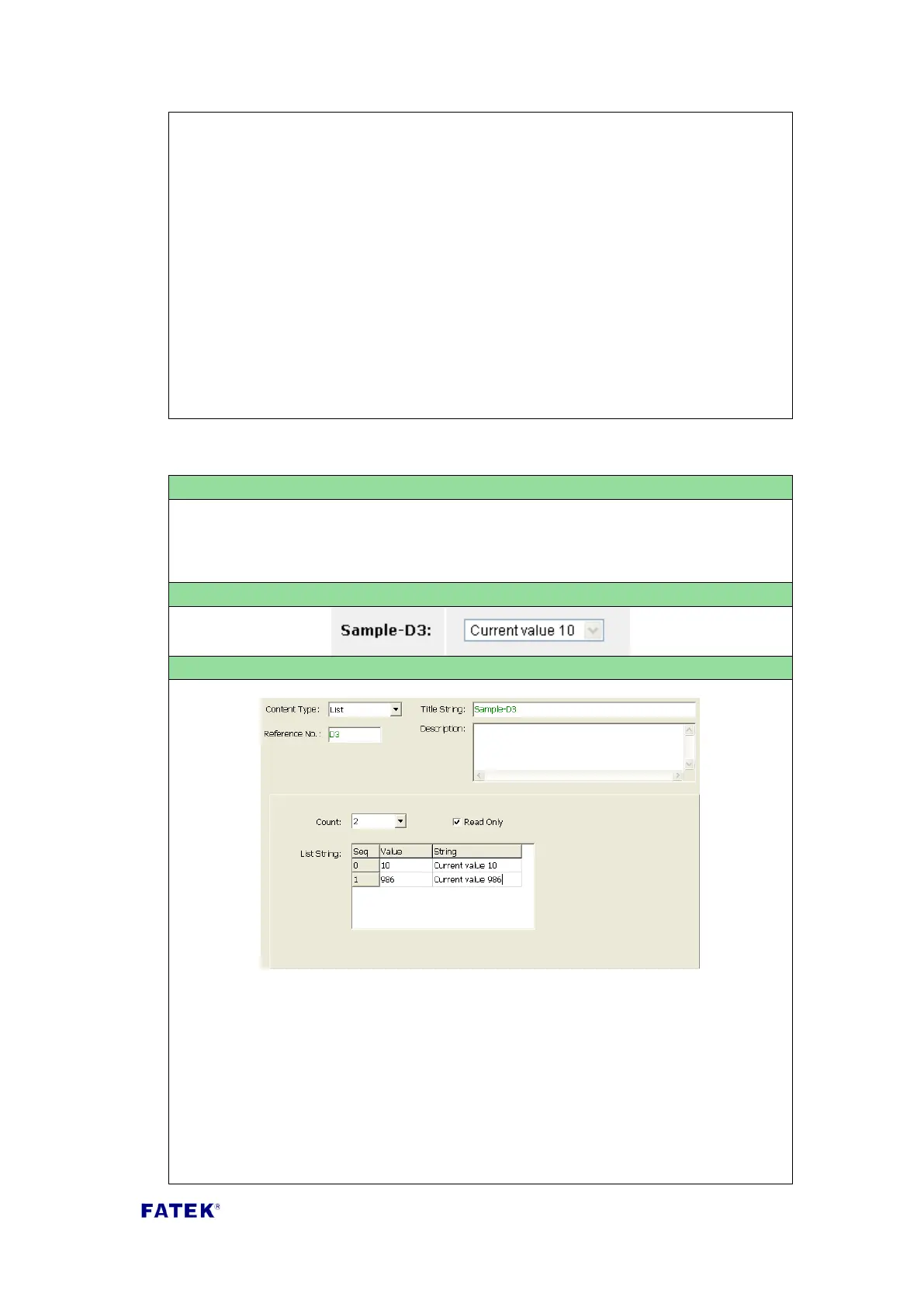
Content Type: Select “List”.
Usable Reference Number Type: R, D.
Title Text: The title description of this list item, such as the text displayed in the
Sample Screenshot “Example-List D3” .
Reference No: The reference number of the register/contact to be controlled.
Count: Total number of listed strings.
List String:



 To Next Page