56
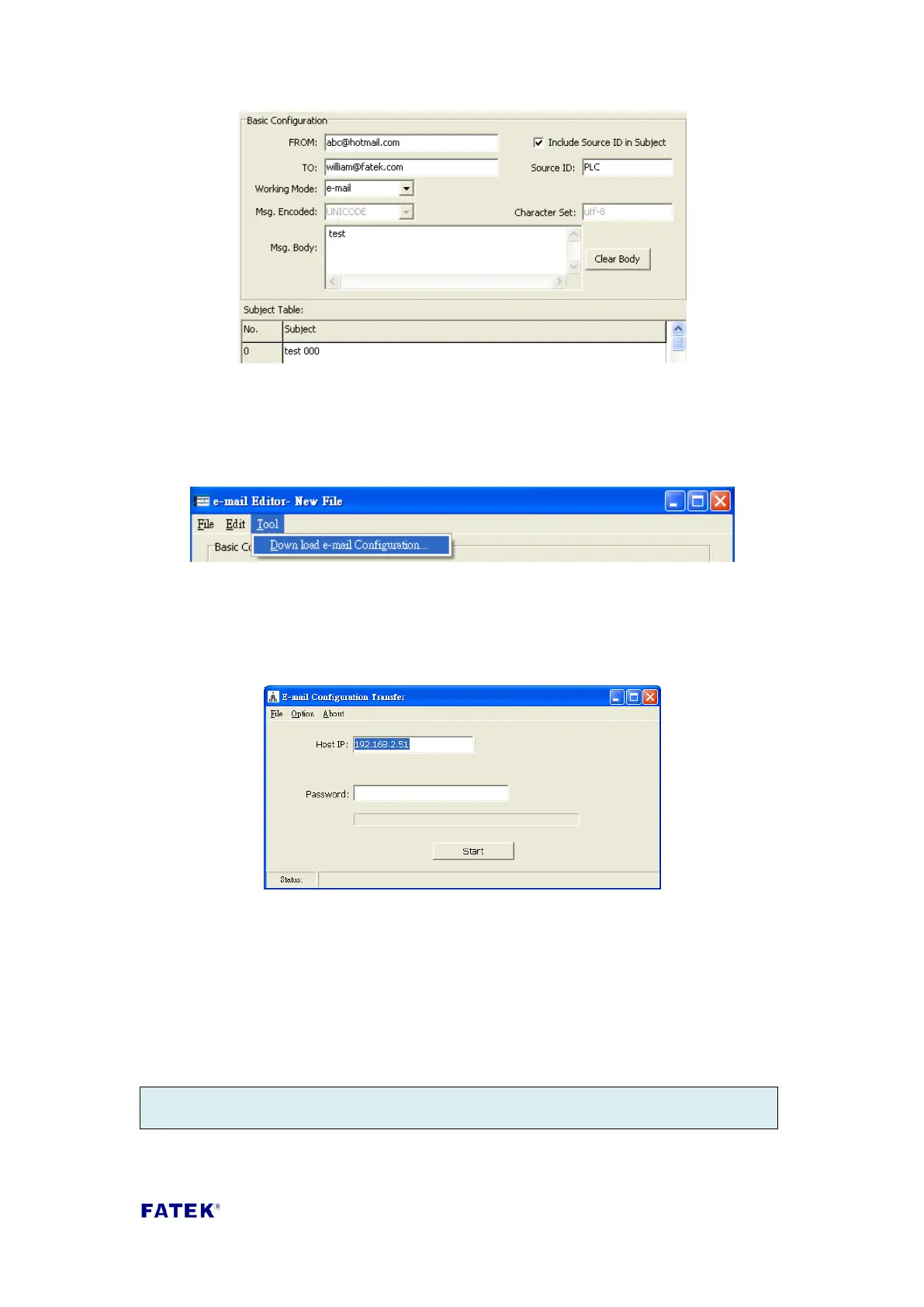
Step 3, download the Email configuration previously set
After completing the basic Email settings, these information must be sent to the
FBs-CBEH series expansion board. Click “Tools” -> “Download e-mail configuration”
from the main menu.
The “Email Configuration transfer” window will appear at this time; in the “Target IP”
field, fill in the IP address of the FBs-CBEH series expansion board to download the
information, then confirm that the correct password is entered in the “Password”
field and press the “Start Download” to perform the downloading.
Step 4, control the FBs-CBEH series expansion board to execute Email sending.
After completed downloading the Email configuration, the Email sending function
can be used; the figure below is a simple control program which uses one contact to
set the Email command code register D3961’s value as 0x3370, then it will execute
Email sending. In addition, register D3962 can be used to control the subject number
to be sent. To use the Email sending function and performing control through
registers D3961~D3963, please refer to the detailed descriptions in Chapter 2.



 To Next Page