3
8
…
Troubleshooting
8. Troubleshooting
SD3 Series Instruction Manual
1. Checking Warnings and Alarms
1. Checking Warnings and Alarms
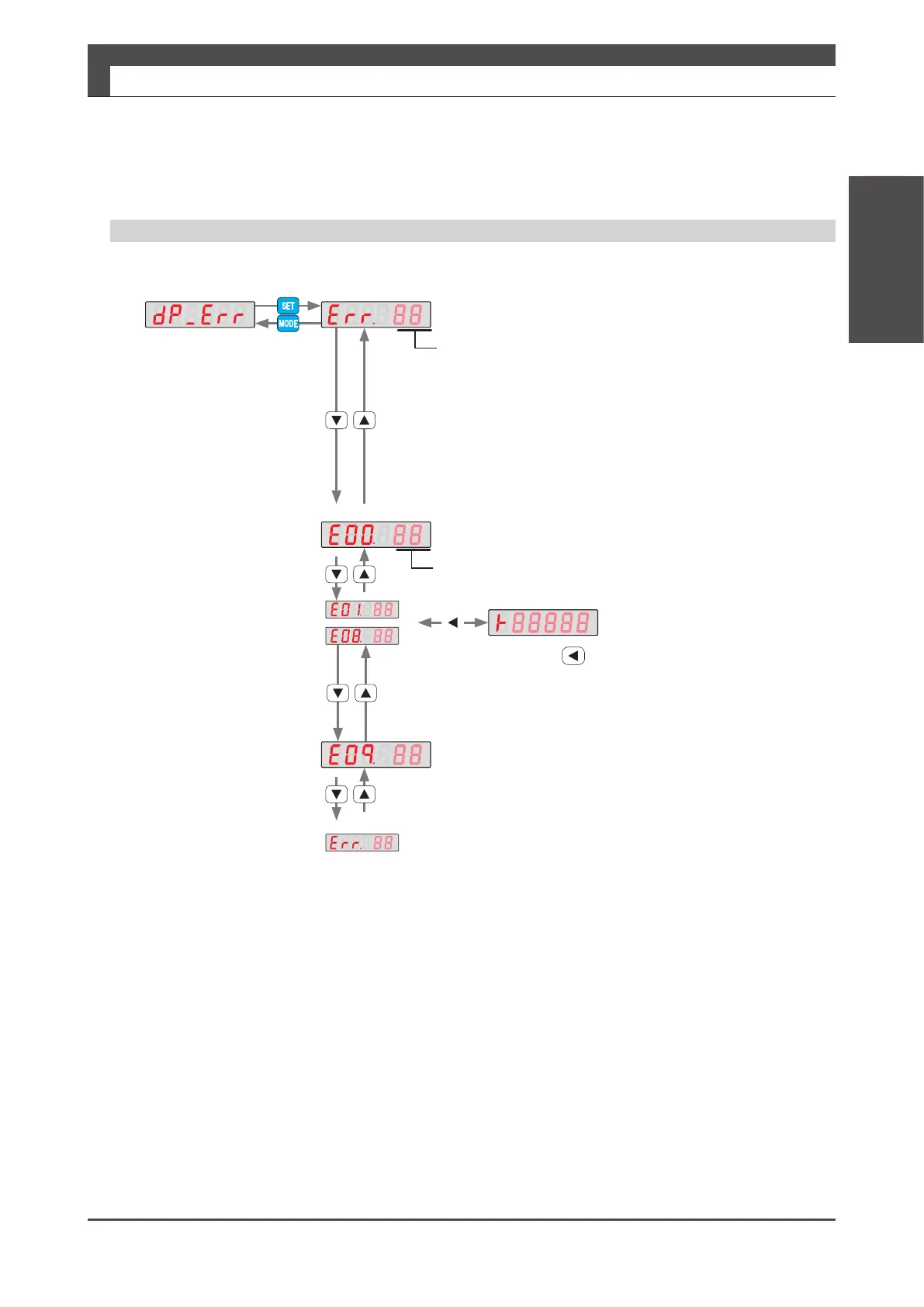
Checking the Alarm History on the Setup Panel
If you press during alarm log display, alarm
occurrence hours will be displayed.
The alarm occurrence hours are as same as
the cumulative operating hours displayed under
the Alarm tab in "Servo Studio".
Alarm No.
Alarm that is occurring now
Alarm history
Alarm No.
History No.0
(Now)
Alarm time stamp
[ hours ]
History No.9
Alarm that is occurring now


 To Next Page