4
8. Troubleshooting
SD3 Series Instruction Manual
1. Checking Warnings and Alarms
6HUYR6WXGLR
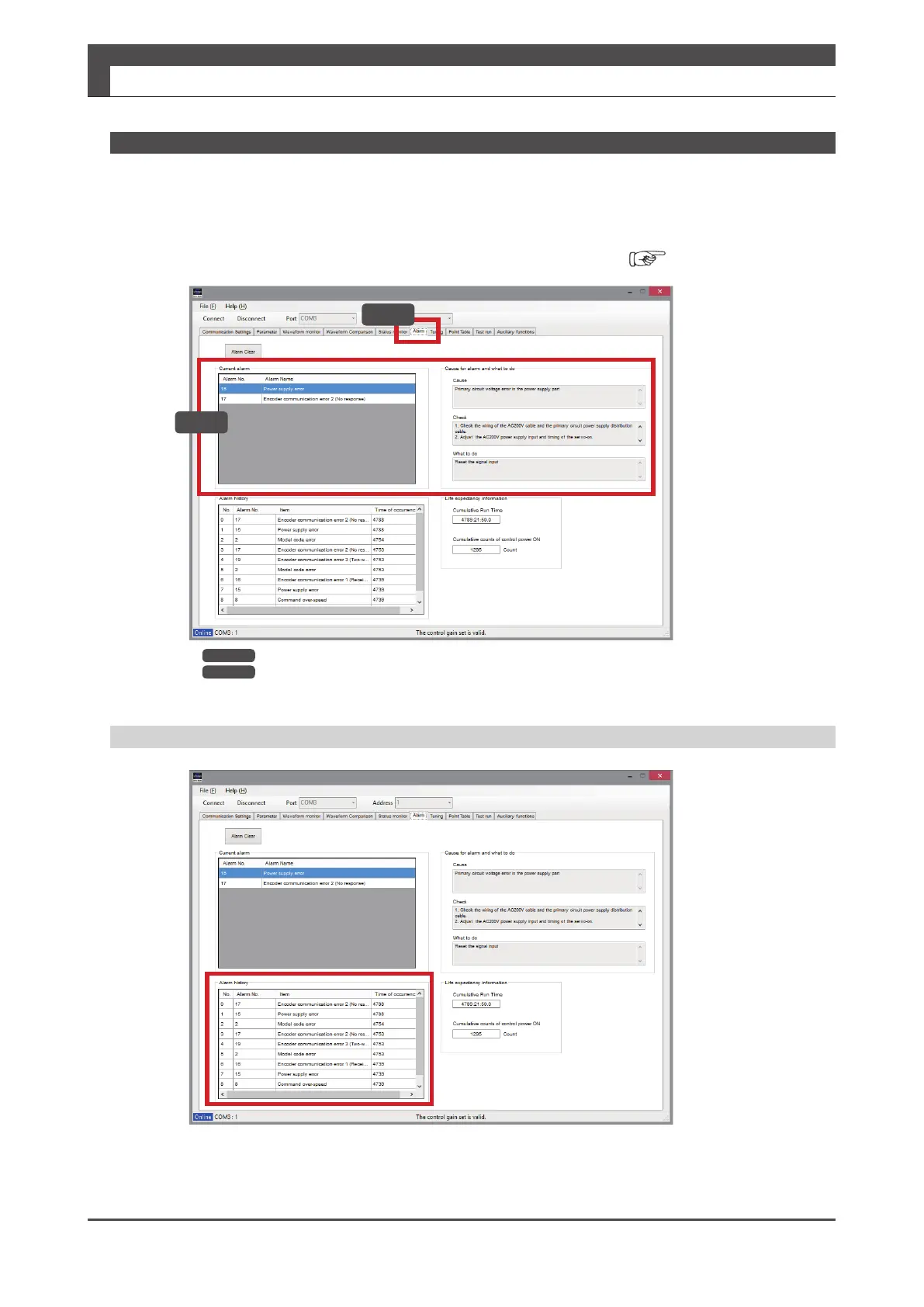
Checking the Alarm History in "Servo Studio"
The alarm history area shows a list of the alarms.
6HUYR6WXGLR
2. Using "Servo Studio"
Turn on the 24 VDC control power to the amplier and start "Servo Studio".
For information on the warning/alarm, check "Alarm currently occurring" under the [Alarm] tab.
If you are not sure what to do, contact us with the alarm number and its description.
"Servo Studio" User's Guide
Step1 Select the Alarm tab in "Servo Studio".
Step2 See [Current alarm] and [Cause for the alarm] and [What to do] windows for details.
Step1
Step2


 To Next Page