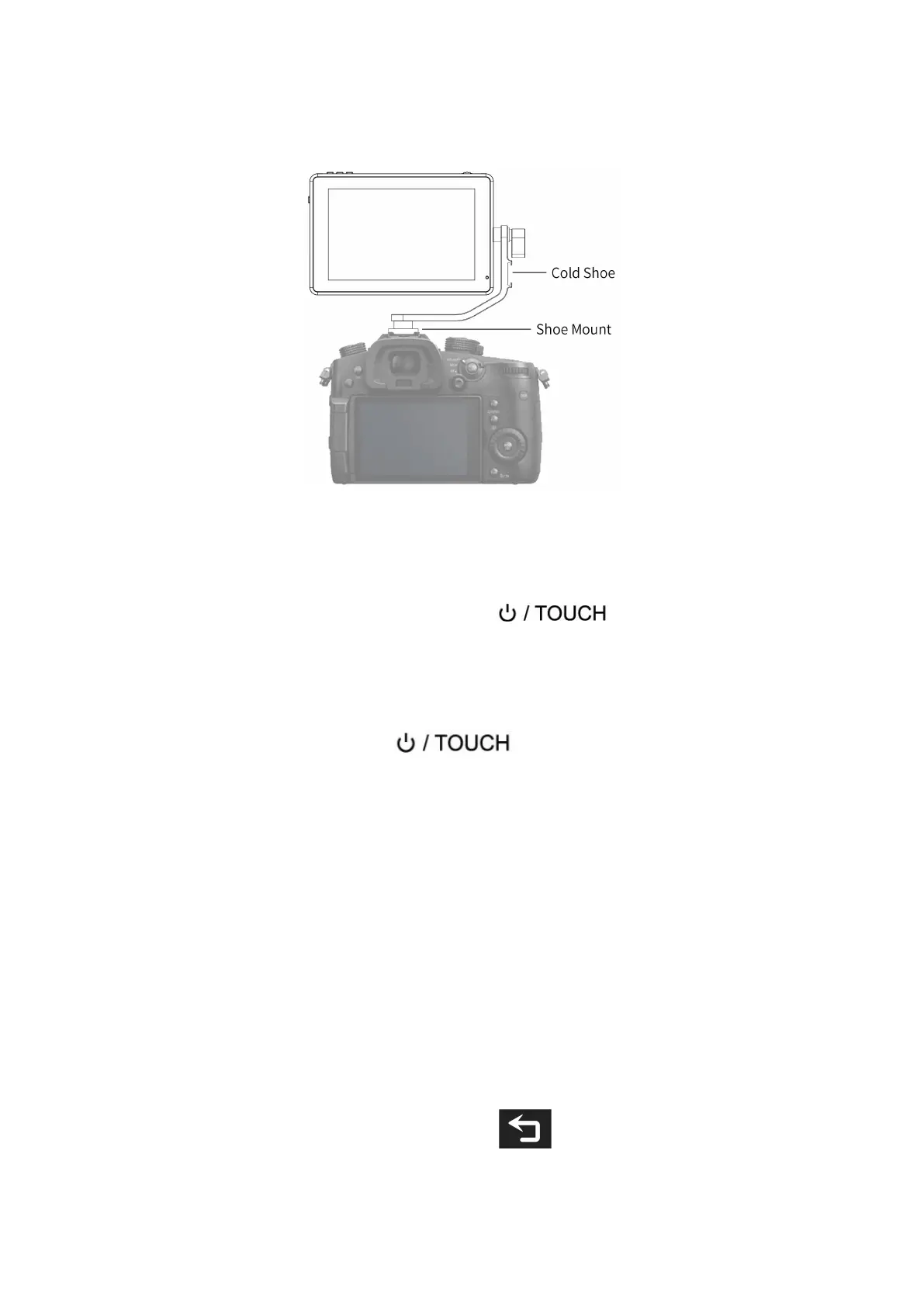
wireless receiver) that would otherwise be displaced from the
camera's accessory shoe.
2. Menu Operation Instruction
After the monitor is properly connected to the power supply, the
indicator light is on (red). Long press button to turn on
the monitor, the indicator light turns yellow. After the signal is
connected, the indicator light turns green.
After startup, short press to select to turn the screen
touch function on or off.
2.1 Touch Screen Menu Operation (turn on the screen touch
function)
①.Double-click on the screen to open the main menu (show on the
left side of the screen) and click on the corresponding menu to
display the secondary menu. You can enter the corresponding
function option to select or set with the "<" or ">" key of the
option. Exit the menu and press key of the main menu
or click the touch screen.


 To Next Page