www.feiyu-tech.com 1514
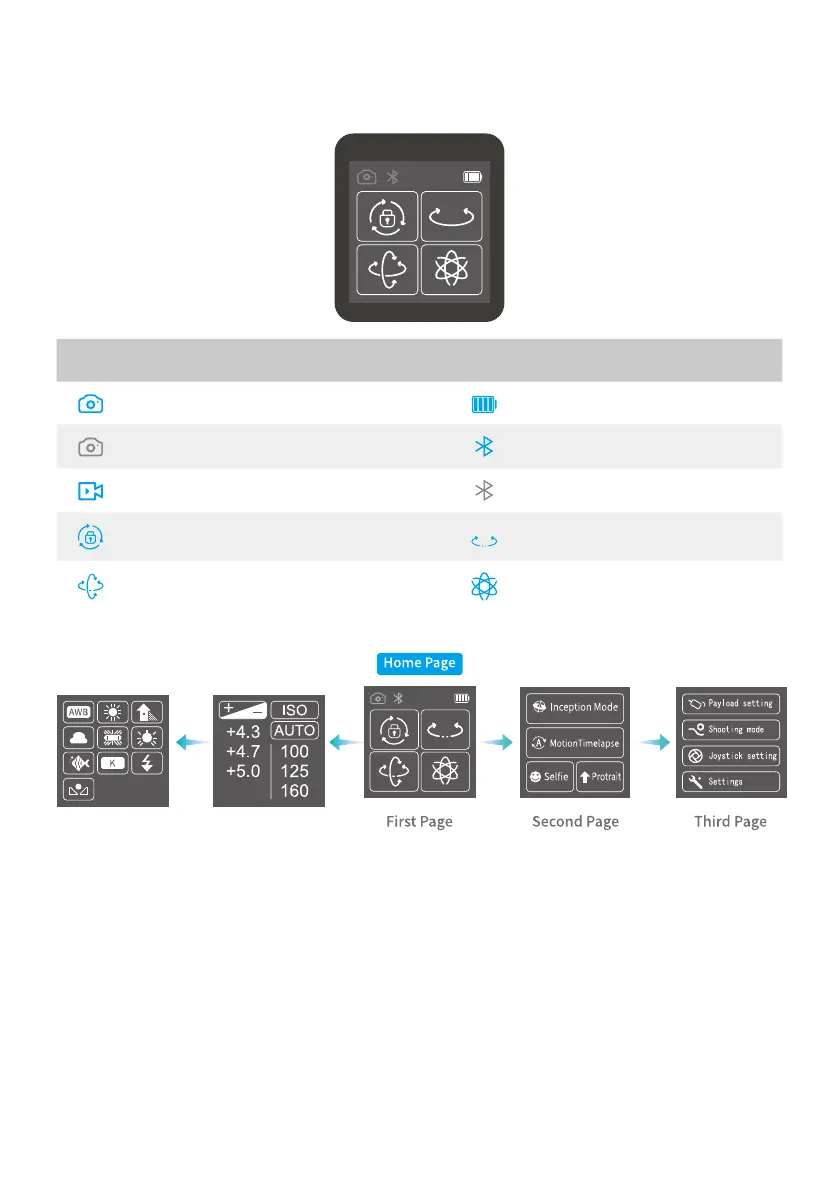
3.4 Touch Screen
3.4.1 Touch Screen
Icon Mode Icon Mode
Camera Connected/Photography Battery Level
Camera Unconnected Bluetooth
Video Recording Mode Bluetooth Unconnected
All Lock Mode Pan Mode
Follow Mode All Follow Mode
3.4.2 Display screen switch
3.4.3 Usage of touch screen
Slide right to left: Flip to the right sub page.
Slide left to right: Flip to the left sub page/return to previous option.
Tap: Select current option.















 To Next Page