www.feiyu-tech.com 32
Standard accessories
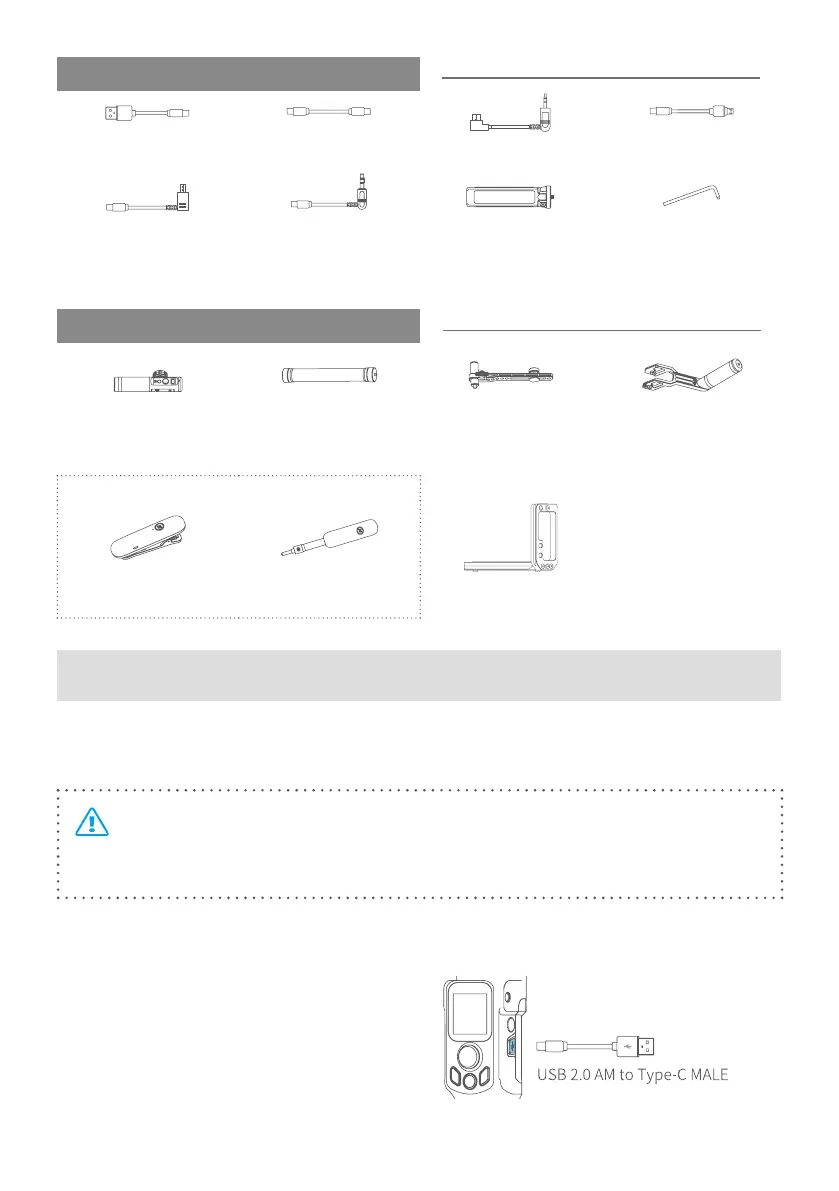
USB2.0 to Type-C×1 Type-C to Type-C (C02)×1 Type-C to TRS2.5 (T02)×1 Type-C to Micro(A03)×1
Type-C to Multi (Sony
shutter cable)×1
DC2.5mm (TYPE C to
2.5mm)(Panasonic shutter
cable)×1
Anti-slip metal tripod×1 Wrench×1
Optional accessories
Hyperlink remote
controller×1
Extension rod×1
Multifunctional bracket for
tilt axis×1
Versatile arm
( for AK2000S and
AK2000C)×1
Wireless MIC Kit
Wireless MIC×1 Wireless receiver×1
L-shaped quick release
plate×1
2. Start to Use
2.1 Charging
TIP:
• Please fully charge the battery before power on the gimbal for the rst time.
• When the battery is low, please charge the gimbal.
Open the USB rubber cover. Connect the USB 2.0 AM to Type-C MALE cable to
charge. Quick charge is available.















 To Next Page