www.feiyu-tech.com 30
Step 2:
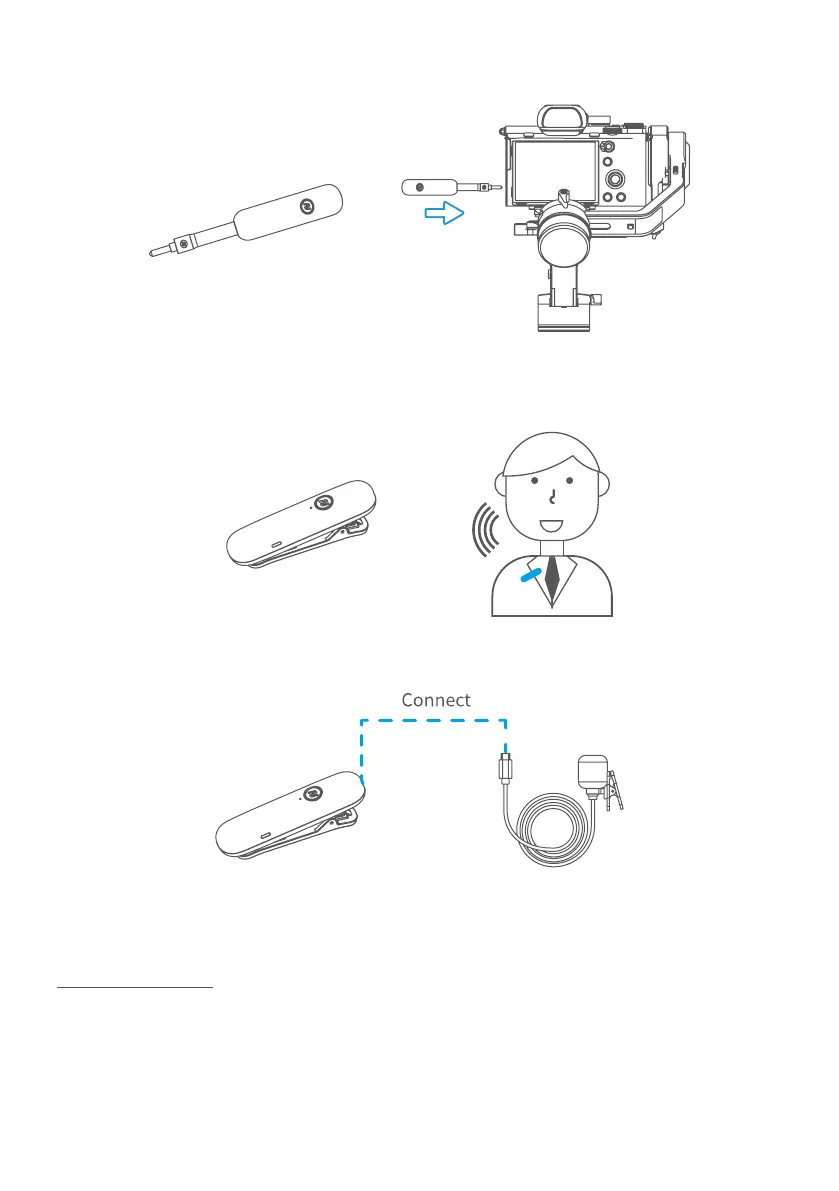
Plug in the receiver to camera receiver jack and turn it on.
Step 3: Turn on the MIC, and it is ready to be used. (Wireless communication
distance ≦20mm, please put it close to sound source for ideal recording )
Step 4: Plug the wireless clip-on microphone in the MIC.
*Wireless microphone kit can be used without gimbal, and follow the step 2.3.4
to use it.
Usage scenario 2
Step 1: Connect with smartphone
Plug the wireless microphone (receiving terminal) in DC3.5 CTIA (American
Standard)/ OMTP (GB), then plug it in 3.5mm earphone port adapter. And plug
it in the MIC port on the smartphone rst, then turn the receiver on. Set the
smartphone to video mode.















 To Next Page