www.feiyu-tech.com 1716
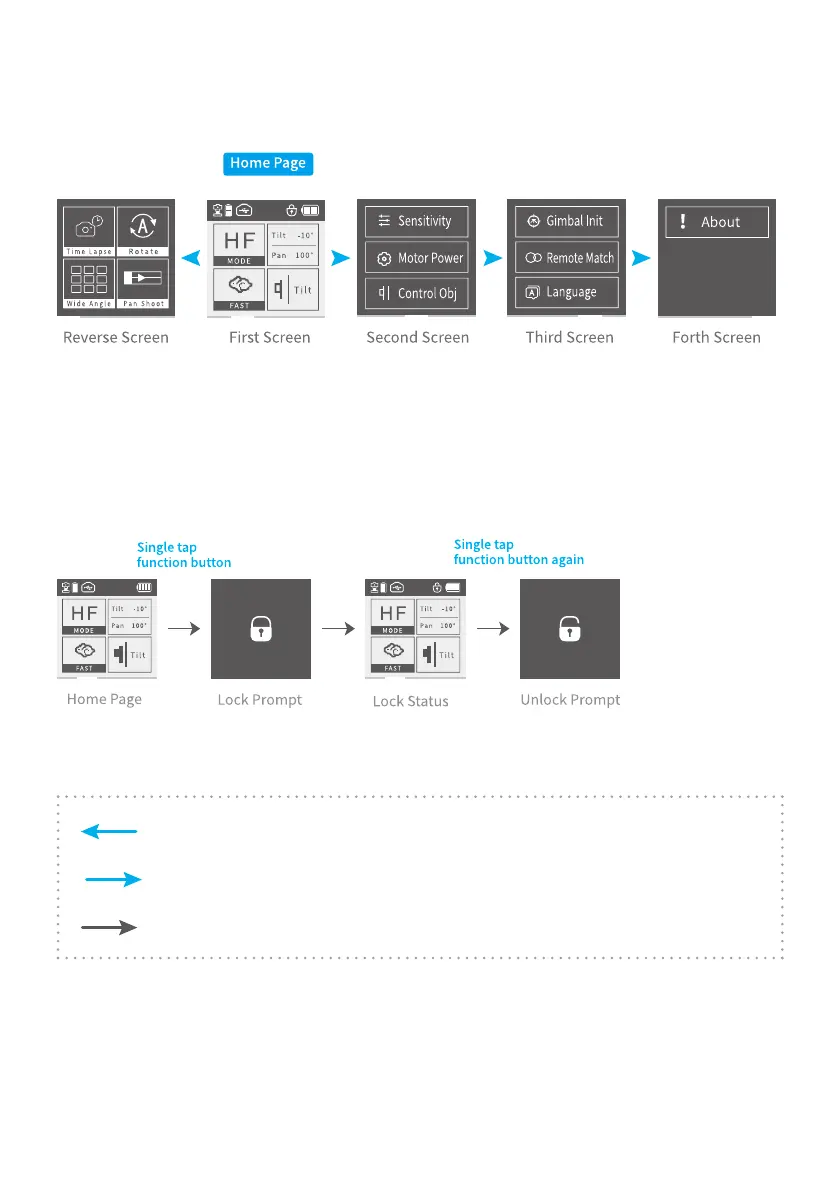
3.3.2 Display Screen Switching
Switch screen by sliding left and right.
3.3.3 Touch Screen Common Gesture Operation
Slide to left: Switch to left screen
Slide to right: Switch to right screen/back to previous page
Click: Check this option
3.3.4 Lock and Unlock
3.4 Modes Setting
Slide right to left
Slide left to right
Tap to select current menu
3.4.1 Time-lapse Photography Mode
(1) Slide to right to enter reverse screen, click to enter the time-lapse
photography interface, the interface has three options (time setting, path setting,
last conguration).














 To Next Page