3
2. Quick Experience
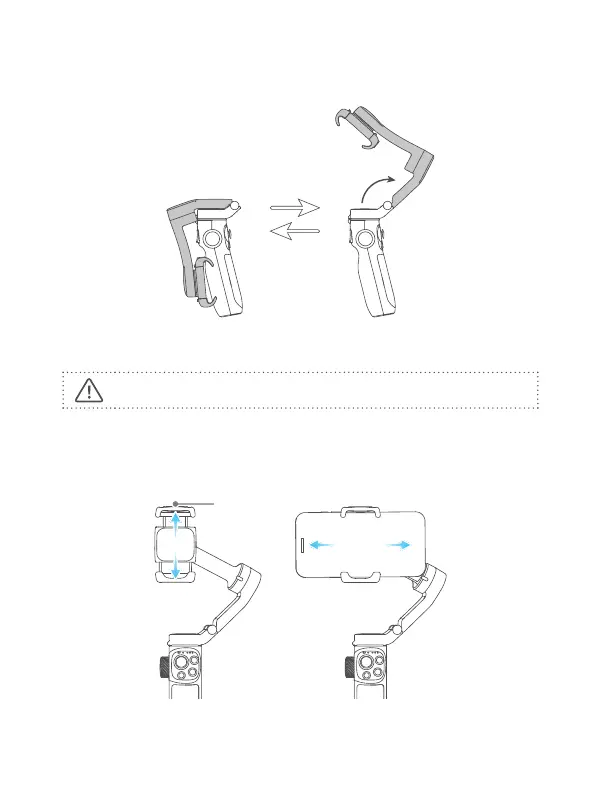
Step 1: Unfold and fold
Step 2: Smartphone Installation
It is recommended to remove the smartphone case before installation.
Keep the logo of the smartphone holder upward. Install the smartphone when the
gimbal is power o. Keep the smartphone holder in center.
If the smartphone tilted, please move the smartphone left or right to make it
horizontal.















 To Next Page