7
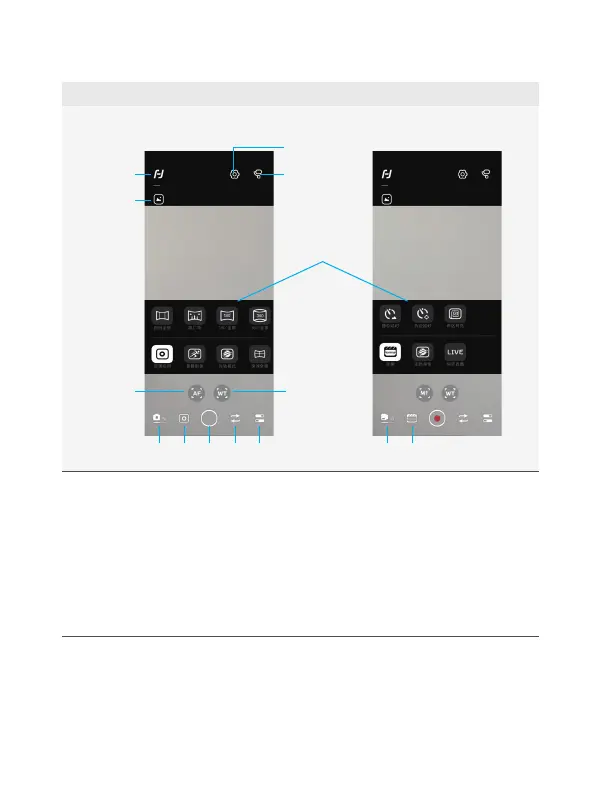
a. Shooting Interface / Control Interface
Shooting Interface
In photo mode In video mode
2
1
5
4
12
6
1. Homepage
2. Album
3. Setting - Advanced settings
4. Gimbal information
5. Follow focus
6. Zoom
7a. Photo mode, tap to switch to video
mode
7b. Video mode, tap to switch to photo
mode
8a. Sub-mode of photo mode, tap to
expand submenu
8b. Sub-mode of photo mode, tap to
expand submenu
9. Shutter
10. Switch between front and rear
camera
11. Camera setting
12. Submenu















 To Next Page