Need help?
Do you have a question about the FeiYu Tech VIMBLE 3 and is the answer not in the manual?
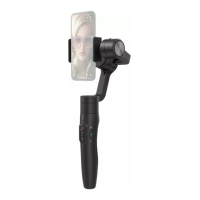
Instructions for unfolding and folding the gimbal for storage or use.
Steps for correctly mounting a smartphone onto the gimbal holder.
Steps to connect the gimbal to a smartphone via Bluetooth.
Connecting the gimbal to the Feiyu ON mobile application.
Overview of the app's shooting and control interface in photo/video modes.
Instructions and procedures for updating the gimbal's firmware.
Basic and app-controlled functions of the power button.
Using the joystick and dial for axis movement and zoom/focus.
Functions of shutter, zoom, A/B, and trigger buttons.
Explanation of Pan, Lock, Follow, and All Follow modes.
Using the gimbal in standard and underslung orientations.
Using the gimbal in side grip and low position orientations.
Understanding the meaning of the status indicator lights.
Interpreting the battery indicator lights for charge status.
 General
| Compatibility | Smartphones |
|---|---|
| Payload | Up to 280g |
| Load Capacity | 280g |
| Battery Life | Up to 10 hours |
| Bluetooth | Yes |
| Rotation Range | 360° |
| Max Rotation Speed | 120°/s |
| Type | Gimbal Stabilizer |
| Weight | 500g |
| Panning Angle | ± 320° |
| Working Time | Up to 10 hours |
| Connection | Bluetooth |
| Follow Modes | Pan follow, lock, and follow |


 To Next Page