Guilin Feiyu Technology Incorporated Company
Guilin Feiyu Technology Incorporated Company www.feiyu-tech.com service@feiyu-tech.com
- 6 -
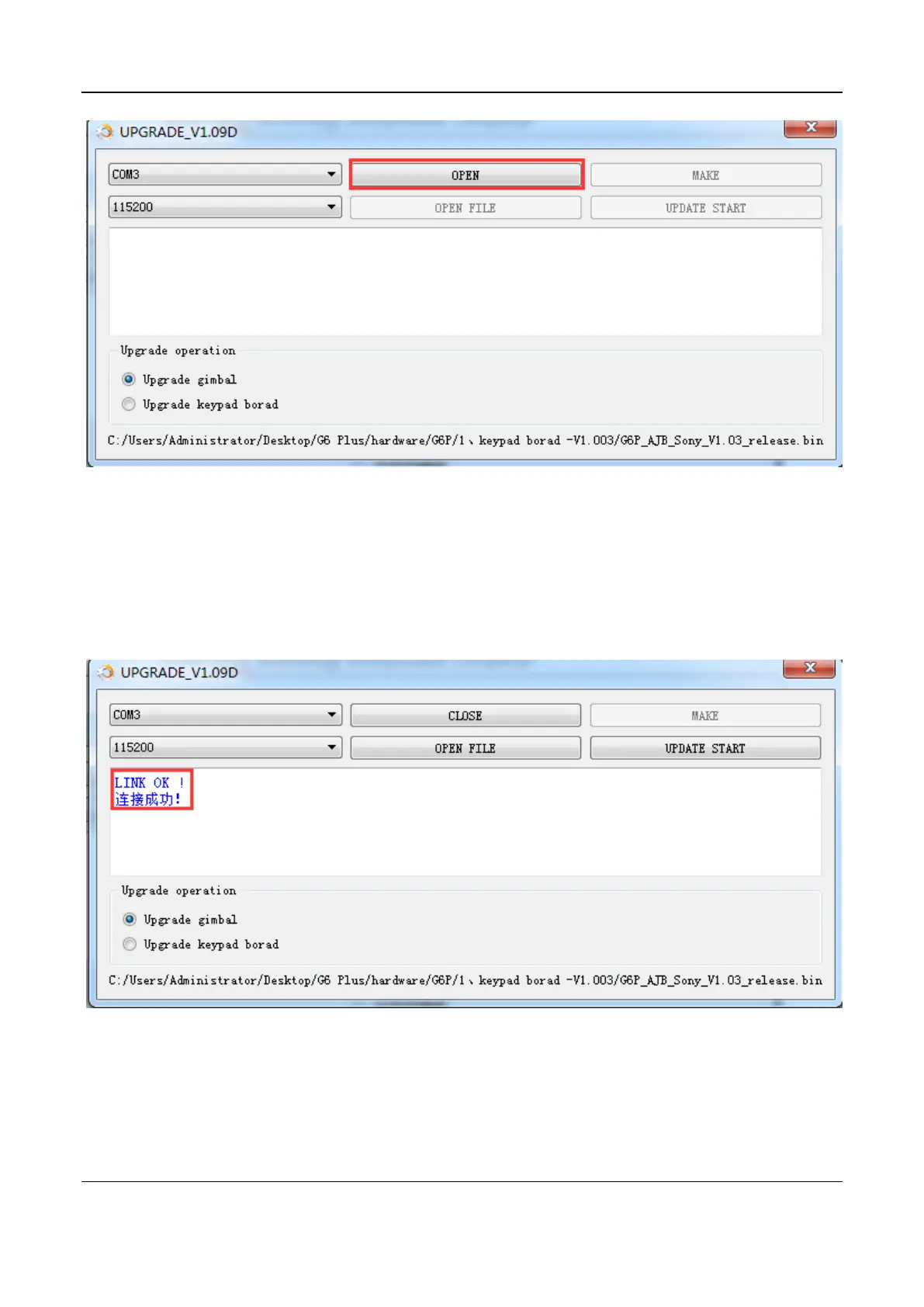
11. Connect G6 Plus to USB cable that has connected with USB connector, the
connection between the gimbal and the computer will be established automatically,
and the connection status shows up.
12. Click on OPEN FILE button and choose right firmware.


 To Next Page