13
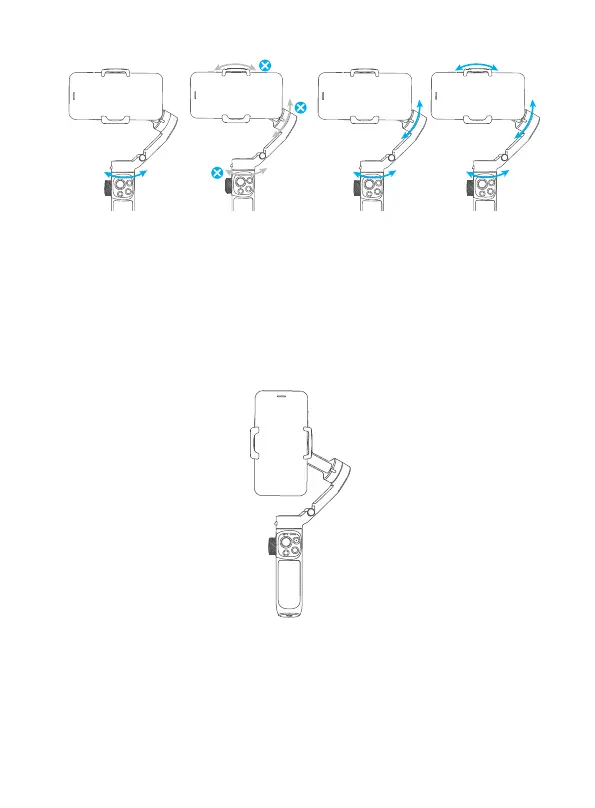
Pan Mode Lock Mode
Follow Mode
(Default mode)
All Follow Mode
10. Operation mode
The gures below depict the operation modes when using VB 4 in portrait mode.
The same operation modes apply when used in landscape mode.
Standard mode (Default):
Double tap trigger button to recenter smartphone.
Underslung mode:
Hold gimbal upside down to enter underslung mode. (In which the
smartphone can easily capture images from a lower position. User can also
hold the tripod to help shooting)



 To Next Page