5
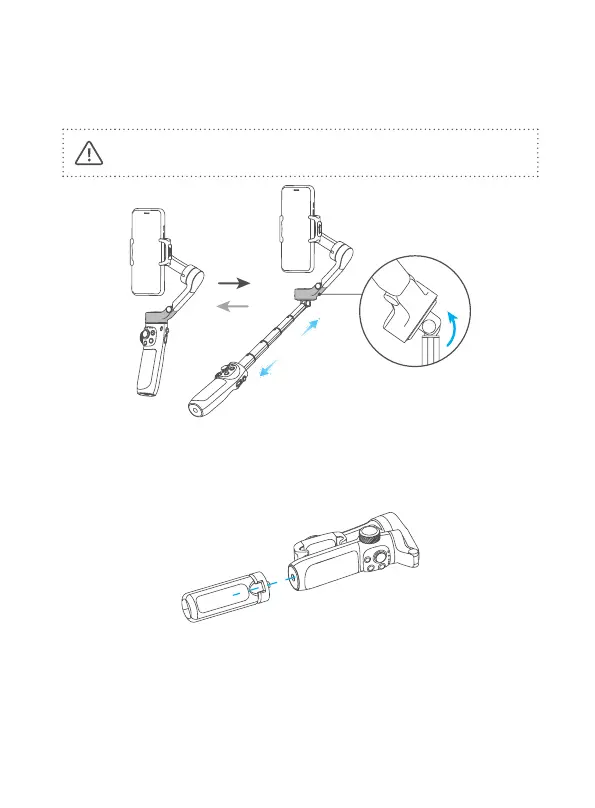
5. Extend and Reset the Handle
Hold the handle with one hand, hold the bottom of pan axis with other hand.
Extending: Pull the extendable rod out to suitable length.
Reset: Push upper grip to make the extendable bar down to handle part.
Do not rotate the rod to extend or reset it.
6. Tripod
The tripod is attached to the bottom of the gimbal in a rotating manner. According
to the needs of shooting, choose whether to install it.
7. Connection
7.1 Bluetooth Connection
Turn on the gimbal.
Method one: Download and install Feiyu ON App, run the App, follow the prompts
to turn on and connect with the Bluetooth.



 To Next Page