5. Power on / off
◾ Make sure the smartphone is secure before powering on the gimbal.
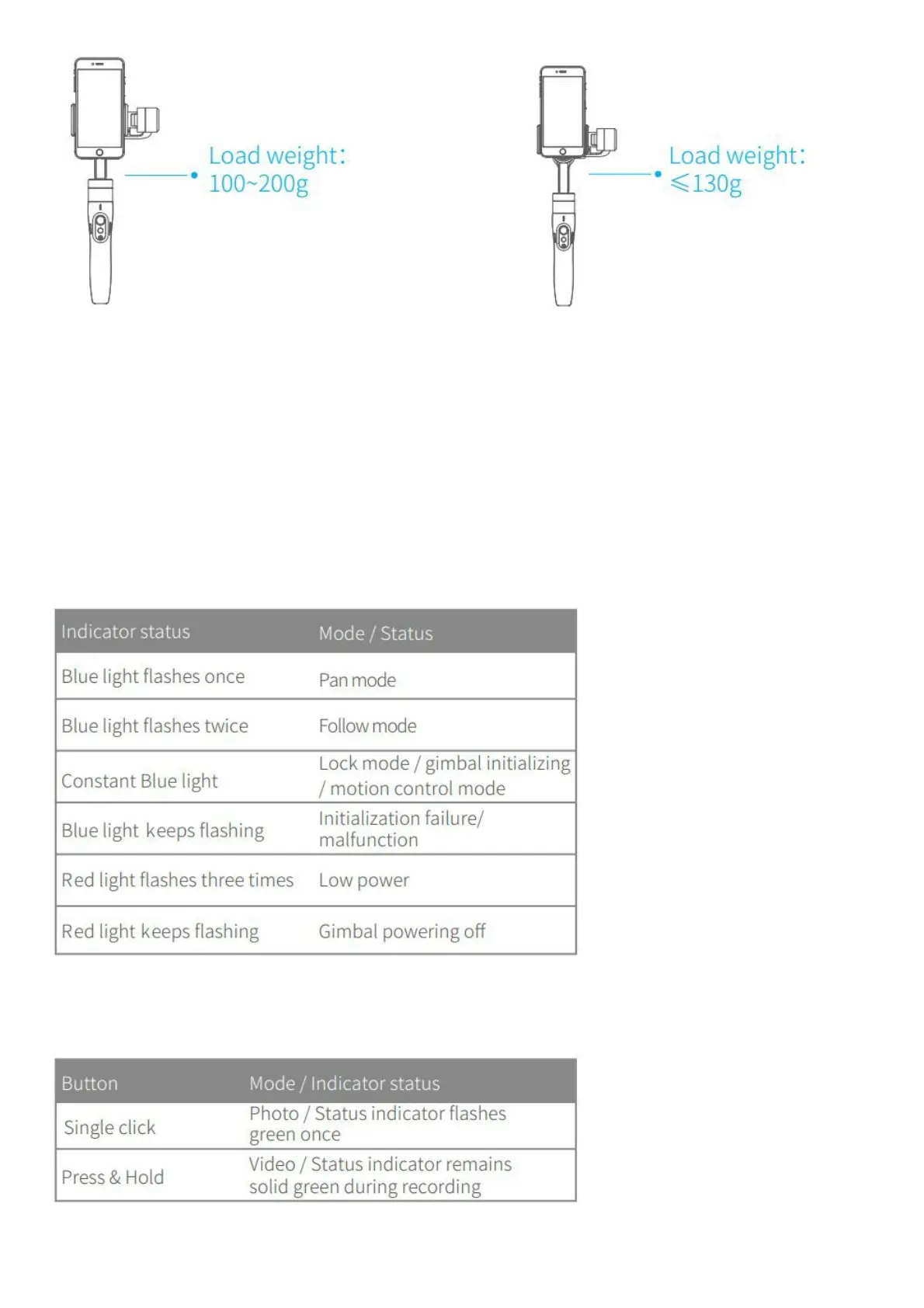
◾ When battery is low, the status indicator will blink red three times every 5 seconds. Please charge gimbal .
Power empress and hold the function button until the status indicator turns green and gimbal beeps. Power offers
and hold the function button until the status indicator changes from a flashing red to a solid red light and gimbal
beeps.
Functions modes
Operation method
◾ Status Indicator Explanation The current mode of the gimbal can be identified by the indicator status.
Bluetooth shutter release button
By connecting Bluetooth or Feiyr ON App, you can operation as follow















 To Next Page