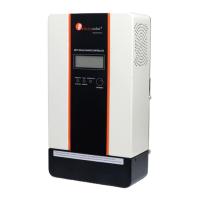
This document describes the Felicitysolar MPPT solar charge controller, an advanced solar charger designed for efficient, safe, and optimized battery charging. It incorporates Maximum Power Point Tracking (MPPT) technology to maximize power extraction from solar arrays, boasting an efficiency of 25% to 30% higher than traditional methods, with a maximum efficiency of up to 98%.
Function Description:
The MPPT solar charge controller manages the charging process of batteries from solar panels. It is compatible with 12V, 24V, or 48V PV systems and supports various battery types, including lithium, lead-acid, AGM, and gel batteries. The device features automatic battery voltage detection, although lithium battery voltage needs to be set manually. It offers a three-stage charging process (Bulk, Absorption, Float) optimized for long battery life and improved system performance. For lithium batteries, the charging logic does not include a floating charge stage. An equalization stage is also included to reverse negative chemical effects like stratification and remove sulfate crystals, thereby maintaining battery capacity. The controller includes self-diagnostics and electronic error protections to prevent damage from installation errors or system faults. It also features a multifunctional LCD for displaying operating status and input/output power information, and communication ports for remote battery temperature and voltage measurement.
Important Technical Specifications:
- Maximum Charging Current: Available in models from 30A to 120A (30A, 45A, 60A, 80A, 100A, 120A).
- Nominal System Voltage: 12V, 24VDC (Auto detection) for 30A/45A models; 12V, 24V, 48V DC (Auto detection) for 45A/60A/80A/100A/120A models.
- Maximum Solar Input Voltage: 95V for 30A/45A models; 145V for 45A/60A/80A models; 195V for 100A/120A models.
- PV Start-up Voltage: 15V.
- PV Array MPPT Voltage Range:
- 12VDC/24VDC: 15-80VDC/30-80VDC
- 12VDC/24VDC/48VDC: 15-130VDC/30-130VDC/60-130VDC
- 15-170VDC/30-170VDC/60-170VDC
- Maximum Input Power:
- 12V: 420W (30A), 625W (45A), 825W (45A), 1100W (60A), 1375W (80A), 1650W (100A/120A)
- 24V: 830W (30A), 1250W (45A), 1250W (45A), 1650W (60A), 2200W (80A), 2750W (100A), 3300W (120A)
- 48V: 2500W (45A), 3300W (60A), 4400W (80A), 5500W (100A), 6600W (120A)
- Temperature Compensation Coefficient: -5 mV/°C/cell (25 °C ref.).
- Temperature Compensation Range: 0 °C to +50 °C.
- Ambient Temperature Range: 0°C to +55°C.
- Storage Temperature: -40°C to 75°C.
- Humidity: 0%-90%RH (No condensing).
- Enclosure: IP31 (indoor & vented).
- Transient Surge Protection: 4500 Watts/port.
- Product Dimensions (W x H x D, mm) and Weight (Kg):
- SCCM3024: 190x151x74 mm, 1.2 Kg
- SCCM4524: 205x160x78 mm, 1.8 Kg
- SCCM4548/SCCM6048: 283x160x105 mm, 4.0 Kg
- SCCM8048: 283x180x105 mm, 5.1 Kg
- SCCM10048: 333x215x120 mm, 6.4 Kg
- SCCM12048: 333x215x120 mm, 7.0 Kg
Usage Features:
- Installation: Designed for indoor applications (IP31). Requires mounting on a solid surface with adequate clearance (20 cm to the sides, 50 cm above and below) for proper air circulation. The unit should be installed at eye level for easy LCD display reading.
- Wiring: Utilizes large power terminals (14 - 2 AWG / 2.5 - 35 mm²) for copper and aluminum conductors. UL-listed Class B 300 Volt stranded wire is recommended. Circuit breakers or fuses are required in both battery and solar circuits, rated at 125% or more of the maximum current. Disconnect switches are also necessary for both circuits.
- Remote Temperature Sensor (RTS): An optional RTS (33 ft/10 m, 22 AWG) is recommended for effective temperature-compensated charging. It connects to a 2-pole terminal and has no polarity.
- Battery Voltage Sense: This connection (16 to 24 AWG, twisted pair cable recommended) allows the controller to precisely measure battery terminal voltage, compensating for voltage drops due to cable resistance.
- Operation: Power-up sequence involves connecting the battery first, then pressing the operation button, and finally connecting the solar disconnect switch. The LCD display provides real-time information on PV input voltage, battery voltage, charging power, charging current, and battery capacity.
- LCD Setting Mode: Allows users to configure parameters such as maximum charging current (30A-120A), battery type (User-Defined, AGM, Flooded, LIB), absorption voltage (12.0V-15.0V), float voltage (12.0V-15.0V), battery rated voltage (12V, 24V, 48V, Auto), battery C.V. charging duration (5-900 minutes), BTS temperature compensation ratio (0-60.0mV), battery equalization enable/disable, battery equalization voltage (12.0V-15.5V), and maximum current of battery equalization (30A-120A).
- MPPT Charger Controller Match to Inverter: This feature allows the MPPT controller to communicate with an inverter to limit the charging current to prevent unsafe overcharging. This function can be enabled or disabled via the inverter's "Down" button, and the LCD will display relevant PV voltage and power information when successfully enabled.
Maintenance Features:
- Troubleshooting: The manual provides a comprehensive troubleshooting table with fault codes (01-07) and warning codes (20-23) for common issues like overcharge current, over temperature, battery voltage anomalies, PV high loss, and battery temperature issues. Each code is accompanied by recommended actions, such as restarting the charger, checking wire connections, verifying solar panel voltage, or contacting the installer.
- Error Indications: The LED indicators provide visual cues for power on/charging status (green solid/flashing), fault/warning conditions (red solid/flashing), and wiring faults (red solid).
- Self-Diagnostics: The controller includes self-diagnostic capabilities to identify and protect against system faults.
- Firmware Upgrades: The manual notes that when upgrading the inverter's firmware, the MPPT matching function should be disabled first.


 To Next Page
 General