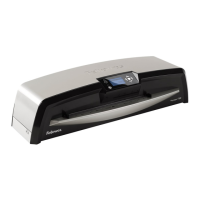
How to open the top cover of my Fellowes Voyager 125?
- LLauren VaughnAug 16, 2025
If you cannot open the top cover, the top cover locking screw is still located on the left side of the machine. Remove the screw, then open the lid.
How to open the top cover of my Fellowes Voyager 125?
If you cannot open the top cover, the top cover locking screw is still located on the left side of the machine. Remove the screw, then open the lid.
What to do if a pouch gets stuck in my Fellowes Voyager 125?
If a pouch gets stuck, it means the pouch is jammed. Press the reverse button and gently pull the item out by hand. Alternatively, you can manually open the laminator via the LCD and follow the steps described in CleanMe.
Why doesn't the ready screen come on after a long period on my Fellowes Voyager 125?
If the ready screen doesn't appear after a long period, the machine might be in a hot or humid area. Move the machine to a cooler and dry area.
How to fix no symbols showing in LCD screen on Fellowes Voyager 125?
If no symbols are showing on the LCD screen, the machine is not switched on. Switch on the machine at the rear next to the plug inlet and at the wall socket, then press the standby button to the left of the LCD screen.
Why is my Fellowes Voyager 125 pouch not sealing completely?
If the pouch isn't sealing completely, it could be due to a couple of reasons. The item you're trying to laminate might be too thick, in which case, try passing it through the machine again. Alternatively, the temperature setting may be incorrect if you're using manual operation. Try using the AutoLam setting or ensuring the pouch thickness is correctly selected, and then pass it through again.
How to stop the Fellowes Laminator while it's laminating?
To stop the machine while laminating, press the “Reverse” button to exit the pouch. You can also press the “Left” button to return to the “home” menu screen.
Why is the pouch damaged after lamination in my Fellowes Voyager 125 Laminator?
If the pouch is damaged after lamination, it could be due to damaged rollers or adhesive on the rollers. Open the laminator manually via the LCD and follow the steps described in CleanMe.
What to do if the item comes out the front of my Fellowes Voyager 125?
If the item comes out the front of the laminator, it is probably too thick to laminate. Choose a thinner pouch and try again.
Why is a small pouch lost in my Fellowes Voyager 125?
The pouch may be too small to use without a carrier. Select Easy Access and open the machine. Remove the pouch and laminate small pouches with a carrier.
Why does the Fellowes Laminator speed and noise vary during lamination?
If the machine speed and noise vary during lamination, it is because you are laminating items of different thicknesses. There is no problem – AutoLam automatically senses the thickness of the inserted pouch and uses optimum settings.
Describes the control panel, LCD display, and AutoLam/Manual lamination modes.
Step-by-step guide for setting up the laminator before use.
Detailed steps for laminating using the AutoLam function.
Crucial safety instructions to ensure safe operation and prevent hazards.
Detailed steps for performing lamination using the AutoLam automatic feature.
Detailed steps for opening the laminator for cleaning and internal maintenance.
A table addressing common issues and their respective solutions for the laminator.
Describes the control panel, LCD display, and AutoLam/Manual lamination modes.
Step-by-step guide for setting up the laminator before use.
Detailed steps for laminating using the AutoLam function.
Crucial safety instructions to ensure safe operation and prevent hazards.
Detailed steps for performing lamination using the AutoLam automatic feature.
Detailed steps for opening the laminator for cleaning and internal maintenance.
A table addressing common issues and their respective solutions for the laminator.
| Dimensions (WxDxH) | 630 x 230 x 130 mm |
|---|---|
| Preheating time | 4 min |
| Lamination speed | 890 mm/min |
| Maximum lamination width | 317.5 mm |
| Maximum document thickness | 10 mm |
| Package weight | 12020 g |
|---|


Loading...