4
G-DEC 3O
f e n d e r . c o m
G-DEC 3O
f e n d e r . c o m
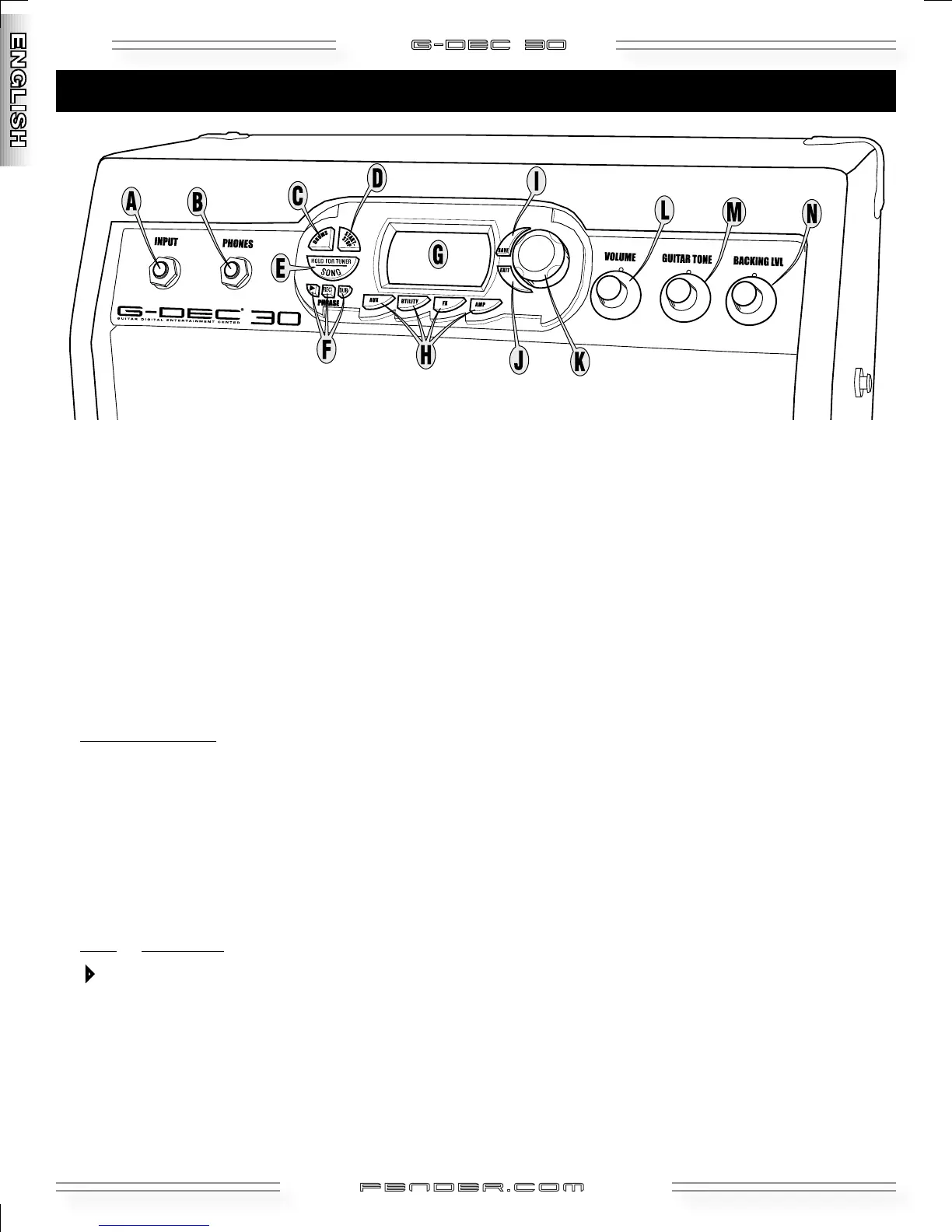
A. INPUT—Plug your guitar in here.
B. PHONES
—Plug in headphones for privacy or connect a
pair of powered speakers (such as commonly used with
computers); the G–DEC 30 speaker mutes automatically.
Enjoy the G–DEC 30’s many stereo effects through this
jack. You can also run a cable from PHONES to “Audio In”
on your computer to record with your favorite recording
software. NOTE: Optional cables, adapters and equipment
are required for these connections.
C. DRUMS
—Press for Drums Mode menus (see page 11).
D. START-STOP
—Press to start and stop the Drum Loop.
The START-STOP button flashes in time with the tempo.
Set Tempo Shortcuts
!
Shortcut 1— Hold START-STOP and turn the Data Wheel
Shortcut 2— Hold DRUMS and tap START-STOP in time
with the beat
E. SONG
/ HOLD FOR TUNER—Press for Song Mode (see
page 8) OR Hold to activate the Tuner
.
F. PHRASE SAMPLER
—Use the Phrase Sampler to record up
to 28 seconds of G–DEC 30 audio for a variety of playback
and overdubbing functions (see page 12).
Press: To start/stop...
4 Playback (replay) of a sampled phrase
REC
Sampling (recording) a new phrase
DUB
Overdubbing (adding layers) to previous phrase
G. DISPLAY
—Hold EXIT and turn the Data Wheel (in Play
Mode) to adjust screen contrast.
H. AUX
/ UTILITY / FX / AMP—Press for the corresponding
Mode menus (see pages 8-12).
I. SAVE
—Saves the current G–DEC 30 settings to a user
preset (U00-U49).
J. EXIT
—Press to return to Play Mode.
K. DATA WHEEL
—Selects presets, songs and settings
depending on the current Mode.
L. VOLUME
—Adjusts the overall loudness of the G–DEC 30.
M. GUITAR TONE
—Adjusts the tone characteristics of your
guitar. This control does not affect the Drum section or
the Auxiliary Input sound.
N. BACKING LVL
—Adjusts the volume level of MIDI
accompaniment.
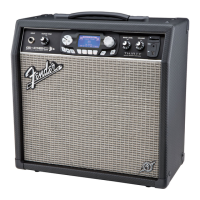
Control Panel Overview






 To Next Page