6
G-DEC 3O
f e n d e r . c o m
G-DEC 3O
f e n d e r . c o m
How Do I...?
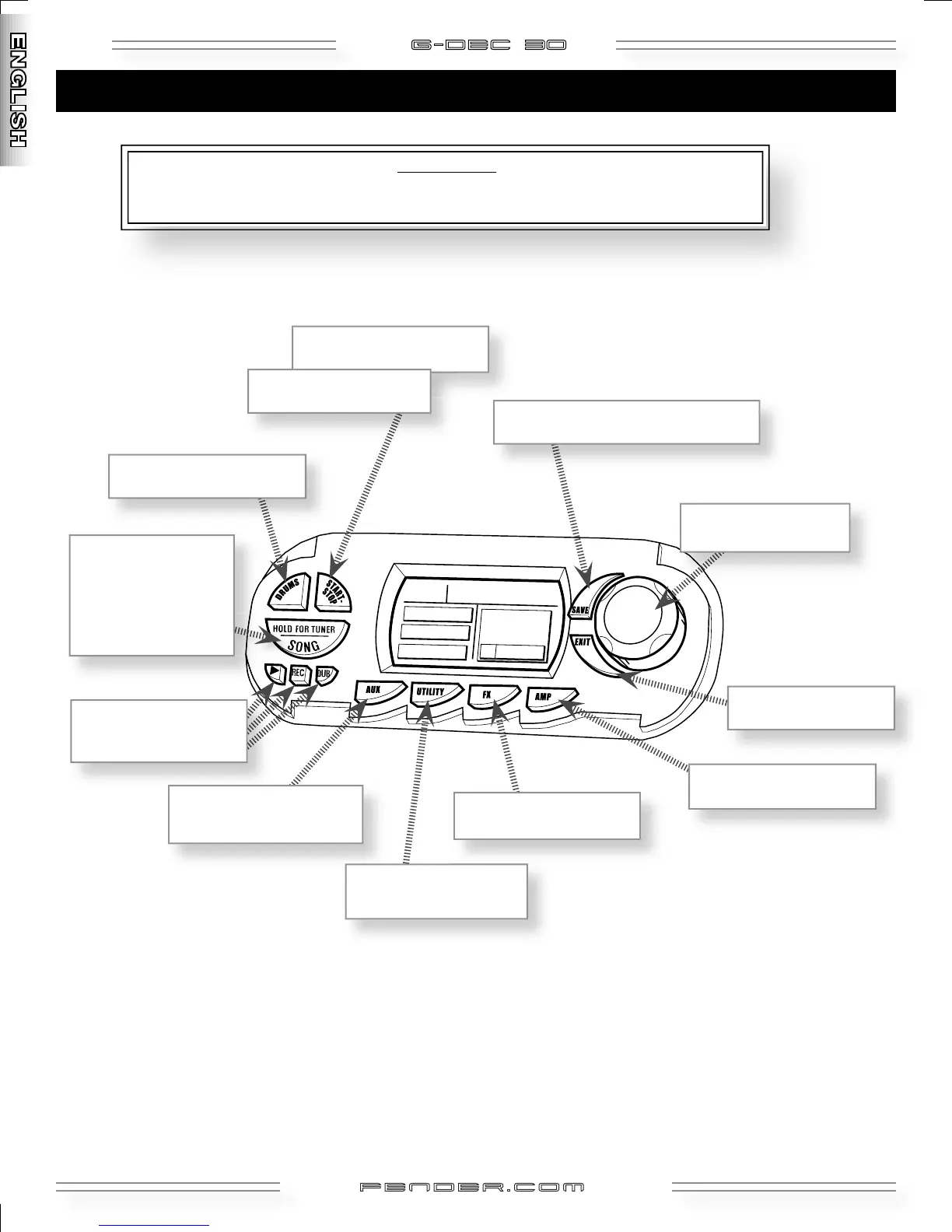
Shortcuts— Press and hold this button while rotating the Data Wheel to make a quick adjustment without leaving Play Mode
(except in
"S" bank)
P L AY M O D E
Quick tips and shortcuts you may find useful in Play Mode!
Ø
MODIFY PHRASE SAMPLER
AND AUX INPUT FUNCTIONS ?
Use AUX Mode (see page 11).
RENAME A PRESET ?
Press UTILITY, turn Data Wheel
.
SELECT PRESETS or SONGS ?
Turn Data Wheel
.
RETURN TO PLAY MODE ?
Press
EXIT.
SAVE MY CURRENT SETTINGS ?
Press SAVE, turn Data Wheel, press SAVE again.
USE THE TUNER ?
Press and hold for 2 seconds to
enter Tuner Mode. Press any
button to cancel.
ENTER SONG MODE
?
Press and release button.
SWITCH GUITAR EFFECTS ?
Press FX, turn Data Wheel
.
SWITCH GUITAR AMPS ?
Press
AMP, turn Data Wheel.
DATA
WHEEL
SELECT DRUM PATTERNS ?
Press DRUMS, turn Data Wheel
.
START / STOP DRUM LOOP ?
Press START–STOP in
P or U banks.
START / STOP SONG ?
Press START–STOP in
S bank.
Ø
Ø
Ø
Ø
PLAY / RECORD / OVERDUB ?
Use the Phrase Sampler
(see page 12)






 To Next Page