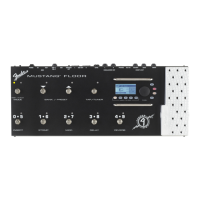
The Fender Mustang™ Floor is an advanced multi-effects guitar processor designed to offer a wide range of amplifier models, effects, and versatile control options for guitarists. It functions as a comprehensive floor-based unit, integrating seamlessly with Fender® FUSE™ software for enhanced customization and operation.
Function Description:
The Mustang Floor serves as a central hub for guitar tone shaping, offering 13 amplifier models and a diverse array of stompbox, modulation, delay, and reverb effects. Users can select and bypass effects, adjust amplifier settings (including tone, gain, volume, and speaker cabinet simulation), and configure expression pedal parameters. The unit features multiple footswitch modes: PRESET mode allows selection of presets from banks, while FX SELECT mode enables individual effect selection and bypass. A built-in chromatic tuner is accessible via the TAP/TUNER button.
The device includes an expression pedal that can operate in dual modes: Volume mode for master volume control and Expression mode for controlling various effect or amp parameters (e.g., Wah frequency, modulation rate, delay time). The pedal's behavior, including heel and toe settings, can be customized and saved per preset.
Connectivity options are extensive, including unbalanced 1/4" outputs for mono or stereo amplifier/PA connections, XLR outputs for direct connection to soundboards or recording equipment, and a PHONES jack for headphones or powered speakers. An AUX IN jack allows for external audio input for accompaniment. An INSERT LOOP (SEND/RETURN) facilitates integration of external effects devices into the signal chain. A USB port connects the Mustang Floor to a computer, enabling use with Fender FUSE software for deep editing, preset management, firmware updates, and digital audio recording. MIDI IN and OUT ports provide compatibility with other MIDI-enabled gear, allowing for external control and transmission of MIDI messages.
Important Technical Specifications:
- Type: PR 2300
- Part Numbers:
- 2301060000 (120V, 60Hz)
- 2301063000 (240V, 50Hz) AUS DS
- 2301066000 (230V, 50Hz) EUR DS
- 2301060000 (120V, 60Hz) DS
- 2301064000 (230V, 50Hz) UK DS
- 2301067000 (100V, 50/60Hz) JPN DS
- 2301061000 (110V, 60Hz) TW DS
- 2301065000 (220V, 50Hz) ARG DS
- 2301069000 (220V, 60Hz) ROK DS
- Power Requirements: AC/DC ADAPTER: 12VDC 800mA
- Input Impedance: GUITAR: 1MΩ, AUX: 13KΩ
- Footswitches (Optional): EXP-1 expression pedal (P/N 2301050000), MS-4 four-button footswitch (P/N 0080996000)
- Dimensions: 520mm W x 220mm D x 80 mm H
- Weight: 9 lb (4.08 kg)
- MIDI Continuous Controller (CC#) Assignments:
- Pedal Volume: CC# 7
- Tuner Toggle: CC# 20 (0-63 Tuner OFF, 64-127 Tuner ON)
- All FX Bypass: CC# 22 (0-63 All effects OFF, 64-127 All effects ON)
- Stomp Bypass: CC# 23 (0-63 effect OFF, 64-127 effect ON)
- Modulation Bypass: CC# 24 (0-63 effect OFF, 64-127 effect ON)
- Delay Bypass: CC# 25 (0-63 effect OFF, 64-127 effect ON)
- Reverb Bypass: CC# 26 (0-63 effect OFF, 64-127 effect ON)
- Amp Bypass: CC# 27 (0-63 amp OFF, 64-127 amp ON)
- Fx Insert: CC# 27 (0-63 Insert OFF, 64-127 Insert ON)
- Tap Tempo: CC# 80
- Program Changes: Values 0-99 select presets 0-99
- Specific CC#s for Stomp, Modulation, Delay, Reverb, and Amp parameters (e.g., Level, Gain, Rate, Depth, Feedback, Tone, etc.) are detailed in the MIDI Appendix.
Usage Features:
- Intuitive Interface: The large DATA WHEEL allows for easy navigation, preset selection, and parameter adjustment. Screen displays provide clear feedback on current settings, preset information, and signal path.
- Footswitch Control: Dedicated footswitches enable quick switching between presets, bypassing effects, and activating the tuner. The MODE button toggles between PRESET and FX SELECT modes.
- Real-time Effect Control: The TAP/TUNER button allows for rhythmic tapping to set delay times and modulation rates.
- Expression Pedal Versatility: The dual-mode expression pedal offers dynamic control over volume or assigned effect parameters, with customizable heel and toe settings.
- Preset Management: Users can save custom presets, with temporary modifications indicated by a red SAVE button. The Memory Lock feature prevents accidental preset modifications.
- Output Voicing: Utility menus allow configuration of output voicing (e.g., PA System, Combo, Stack) and bass/treble levels for unbalanced, XLR, and PHONES outputs, optimizing the sound for different amplification setups.
- Quick Access Presets: Three Quick Access presets can be assigned and recalled quickly via the MS-4 footswitch.
- Fender FUSE Integration: Full compatibility with Fender FUSE software provides a graphical interface for deep editing, preset backup/restore, and access to exclusive Fender artist presets and bonus features.
- MIDI Control: The unit can send and receive MIDI Program Changes and Continuous Controller messages, allowing for integration into complex MIDI setups and external control of parameters.
Maintenance Features:
- Factory Restore: The Mustang Floor can be restored to its original factory settings, erasing all user presets and custom effect selections. This is performed by holding the EXIT button while powering on the unit.
- Firmware Updates: Fender periodically releases firmware updates to improve operation and add new features. These updates are performed via the USB port using Fender FUSE software and an internet connection.
- Pedal Calibration: The expression pedal (and optional EXP-1 pedal) can be calibrated to ensure consistent performance. This involves holding the UTIL button while powering on and rocking the pedal through its full range of motion.
- Pedal Tension Adjustment: The tension of the expression pedal's axle nut can be adjusted with a 10mm socket wrench to customize pedal movement ease.

 Need help?
 General


 To Next Page
