8
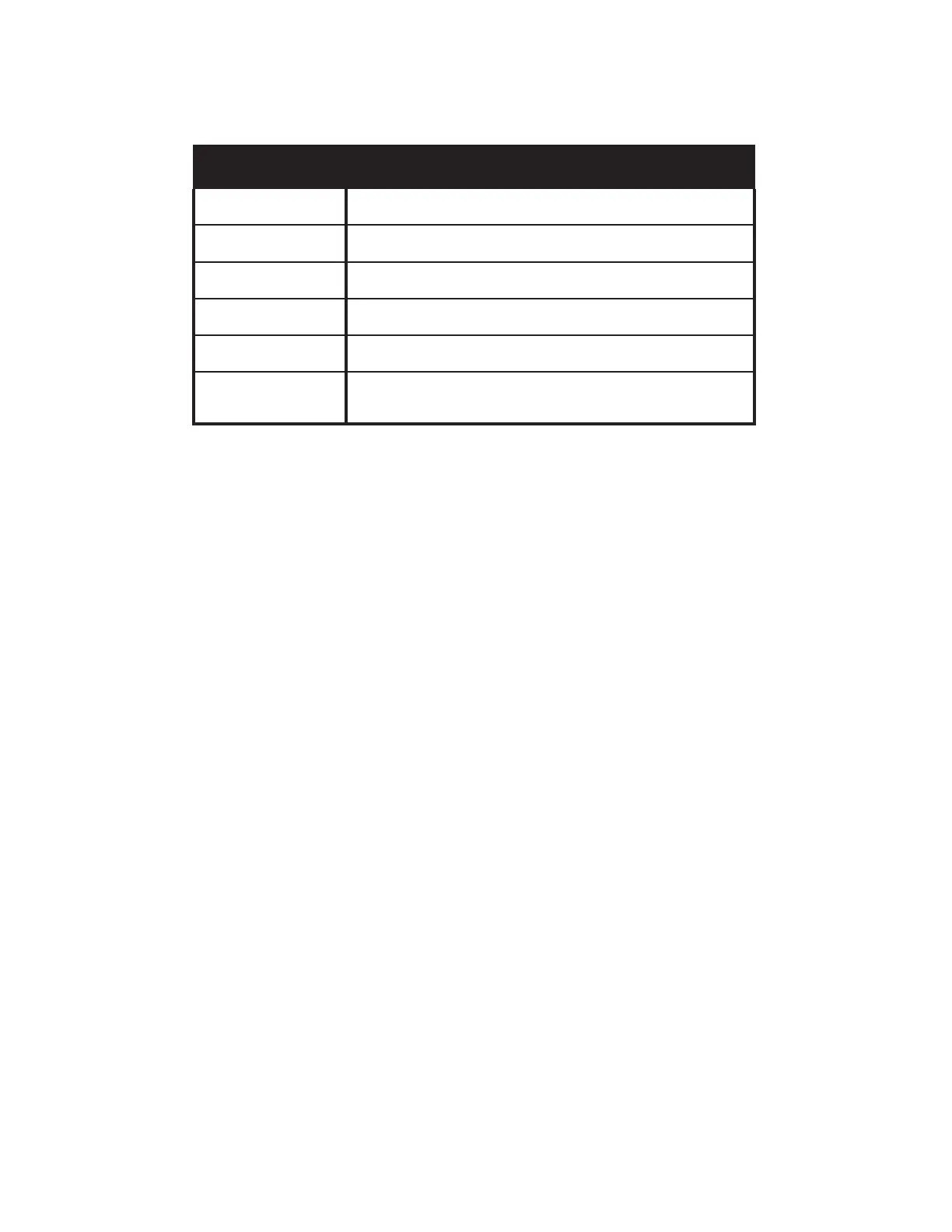
Mustang Micro Plus provides up to six hours of battery-powered operation. Recharge Mustang Micro Plus using the
USB-C jack (H) on the bottom of the unit and the included USB cable. POWER LED color indicates charging status:
CHARGING
POWER SWITCH
LED COLOR
BATTERY STATUS
YELLOW (solid)
USB is connected and unit is charging whether
power is on or o.
GREEN (solid)
Power is on, USB is connected and battery is
fully charged.
GREEN (ashing)
Battery is at greater than 50 percent and USB is not connected. LED ashes
green for one second every ve seconds.
YELLOW (ashing)
Battery is at 20 percent-50 percent and USB is not connected. LED ashes
yellow for one second every ve seconds.
RED (ashing)
Battery is at less than 20 percent and USB is not connected. LED ashes red
for one second every ve seconds.
RED (ashing rapidly)
LED ashing red rapidly while unit is on and USB is plugged in indicates a
battery charge error possibly due to extremes of temperature. Unplug USB,
turn unit o, allow unit to reach room temperature, restart unit.
Firmware updates for Mustang Micro Plus require use of the Fender Mustang Micro Plus Updater application, down-
loadable at www.fender.com/mmrmware. The installer will guide the update process using three steps:
1. With Mustang Micro Plus o, connect a USB cable to the USB-C jack and connect the other end to a Mac or PC.
2. While pressing and holding the PRESET minus button (-), turn Mustang Micro Plus on while continuing to hold
the PRESET minus button (-) button for two seconds.
3. Start the updater application and follow the onscreen instructions. The POWER LED will ash green to indicate
that rmware update mode is in process. When complete, the POWER LED will turn o and the updater
application will indicate a successful update (or unsuccesful, in which case repeat rmware update steps).
When done, disconnect the USB cable and restart Mustang Micro Plus.
FIRMWARE UPDATE
A factory reset returns Mustang Micro Plus to its original factory settings and clears the Bluetooth paired device list.
Initiate factory reset by turning Mustang Micro Plus on while simultaneously holding the MODIFY minus (-) and SAVE
buttons for two seconds. The display will then show FACTORY RESET PLEASE WAIT while in process, with successful
completion indicated by resumption of normal operation. Should factory reset fail, turn unit o and repeat reset steps.
FACTORY RESET
In a “presets reset”, presets 1-70 are reset to their original state, overwriting any user modications to them (presets
71-100 will be unaected). Initiate a presets reset by turning Mustang Micro Plus on while simultaneously holding the
SAVE and TAP buttons for two seconds. The display will then show PRESETS RESET PLEASE WAIT while in process, with
successful completion indicated by resumption of normal operation. Should presets reset fail, turn unit o and repeat
reset steps.
PRESETS RESET







 To Next Page