7
FERtech 25 OV
Cod. 3540U431 - 11/2009 (Rev. 00)
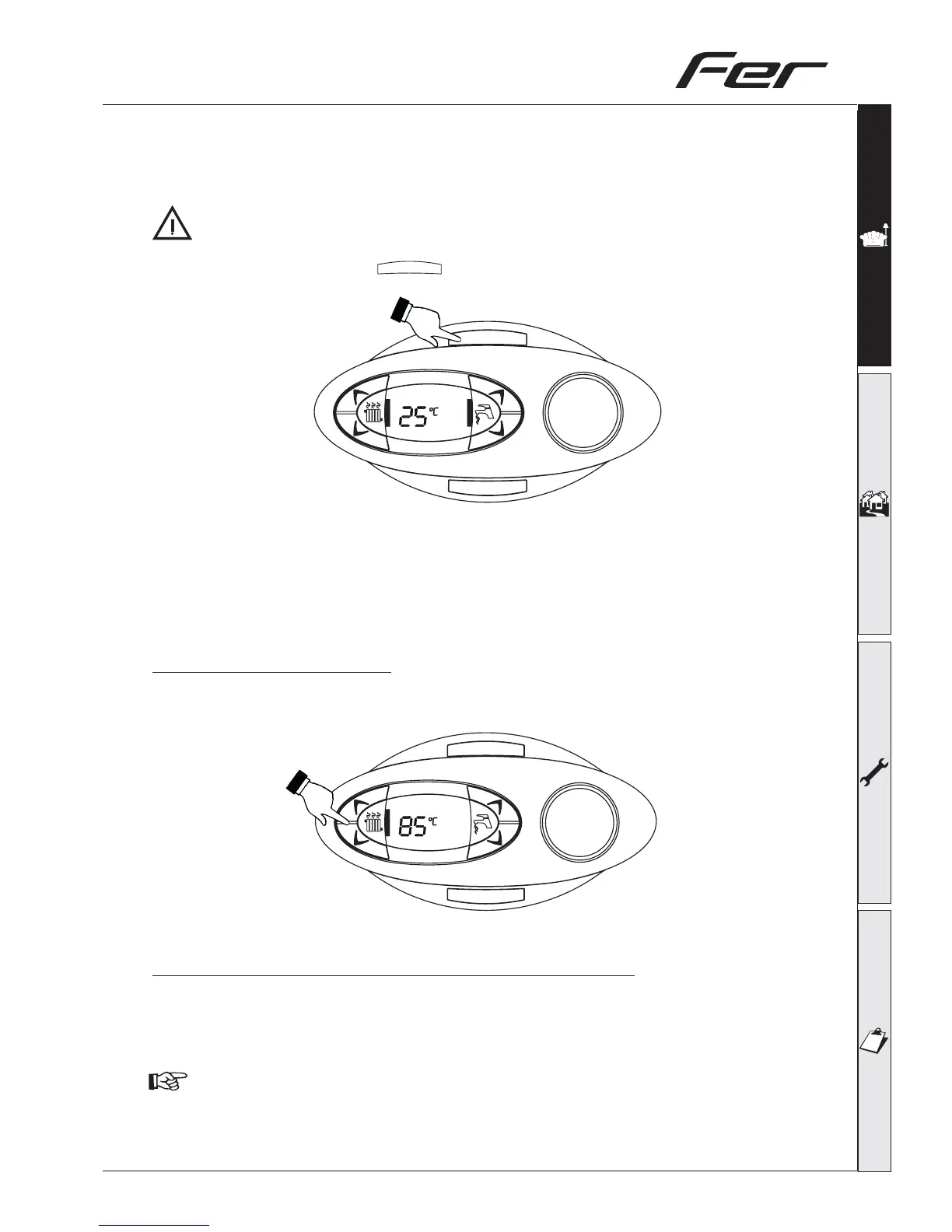
When the boiler is turned off with this key, the p.c.b is still powered, heating operation is disabled and
the display is off however the frost protection will still be active.
To totally isolate close the gas cock ahead of the boiler and disconnect electrical power.
To avoid damage caused by freezing during long shutdowns in winter, it is advisable to drain all
water from the system.
To turn the boiler on again, press
eco/comfort
(part.7 - fig.1) for 5 seconds.
The boiler is ready to function automatically whenever the external controls are calling for heat.
1.4 Adjustments
Heating temperature setting
To set the system flow temperature, use the CH push buttons (Part. 3 and 4 – fig. 1). It can be varied
from a minimum of 20°C to a maximum of 90°C.
Room temperature adjustment (using a room thermostat )
Using the room thermostat, set the temperature desired in the rooms. Controlled by the room ther-
mostat, the boiler lights and heats the system water to the system delivery setpoint temperature. The
burner shuts down when the desired temperature in the room is reached.
A room thermostat and programmer are a mandatory requirement (Building regulations Doc ‘L’
2002).
eco/comfort
reset
fig. 7
I
I
I
I
I
I
I
I
I
I
I
I
I
I
I
I
I
I
I
I
I
I
I
I
I
I
I
I
I
I
I
I
I
I
I
I
I
I
I
I
I
I
I
I
I
I
I
I
I
eco/comfort
reset
fig. 8



 To Next Page