20
TV Menu Operation
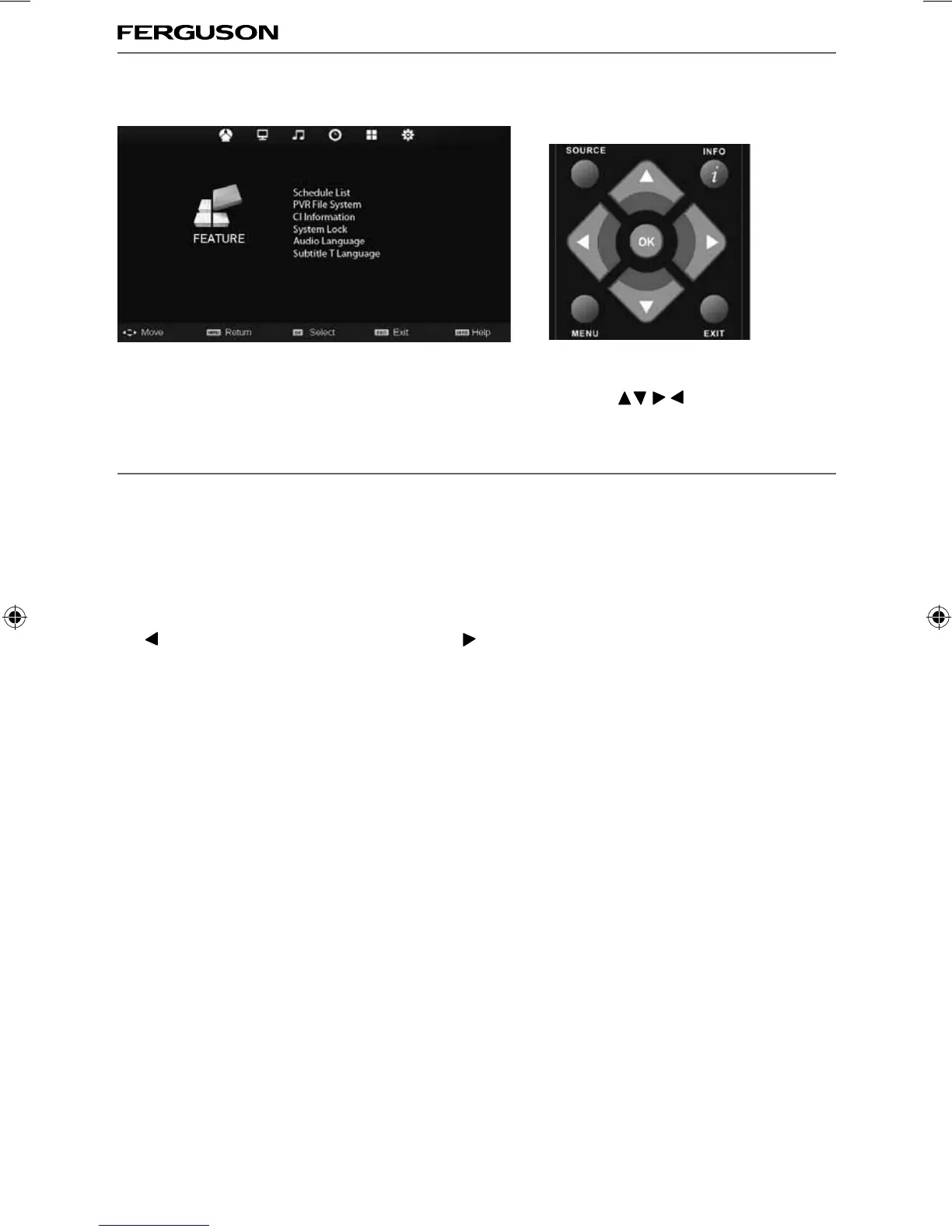
FEATURE MENU
Schedule List - Lists your programme reminders
PVR File System - Allows you to access recorded programs
CI Information - Pay per view services require a “smartcard” to be inserted into the TV.
If you subscribe to a pay per view service the provider will issue you with a ‘CAM’ and a “smartcard”. The
CAM can then be inserted into the COMMON INTERFACE PORT (CI Card In).
System Lock - Allows you to lock or unlock the menu. You will be asked to enter a 4 digit password use
the
button to quit the password input. Use the button to clear. Default password is 0000
Audio Language - Allows you to change audio language
Sub.T Language - Allows you to change subtitle language
To access this menu, press [MENU] button on the remote control. To enter a menu press [OK]
If you wish to make changes to any of the default settings, use the scroll
buttons. To confi rm
any settings press [OK] button.
To exit this menu at anytime, press [EXIT] button.
AV
ferguson user manual F3216LVD2.indd Sec1:20ferguson user manual F3216LVD2.indd Sec1:20 22/06/2011 10:55:5722/06/2011 10:55:57



 To Next Page