5
EN
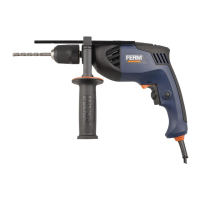
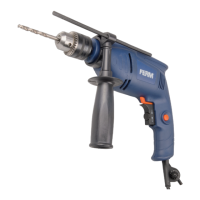
Side handle
Fig. A
The side handle (9) can be rotated 360
0
around
the drill head, enabling safe and comfortable
operation for both left and right-handed users.
anticlockwise.
by turning it clockwise
Exchanging and removing drill bits
Fig. A - B
Before exchanging bits, first remove the
power plug from the wall socket.
Inspect bits regularly during use. Blunt
bits should be re-sharpened or replaced.
sleeve (13) clockwise while simultaneously
holding the rear sleeve (12) or turning it
counterclockwise and insert the bit into the
chuck opening.
counterclockwise while simultaneously holding
the rear sleeve (12) or turning it clockwise.
couple of “clicks” once the bit is tightened.
Setting depth stop
Fig. A
counterclockwise.
side handle ring.
clockwise
The On/Off switch
Fig. A
raising the rotation-speed or release pressure
for lowering the rotation-speed.
Lock-on Button
Fig. A
lock-on button (4).
Adjusting of the maximum rotation speed
Fig. A
lock-on button (4).
adjustment wheel (6) to the desired maximum
rotation speed.
Switching the direction of rotation
Fig. A
Do not change the direction of rotation
during use.
”.
rotation switch (7) to “ ”.
Function selection switch
Fig. A
In order to avoid damage to the machine,
adjusting the function selection switch (2)
shall only be done when machine is not
running
drilling.
hammer drilling.
Gear selection switch
Fig. A
In order to avoid damage to the machine,
adjusting the gear selection switch (8)
shall only be done when machine is not
running.


 To Next Page