DUOX PLUS WIFI VEO XS MONITOR 11
PROGRAMMING:
1. PROGRAMMING: ACCESS ADMINISTRATOR AND USER MENU
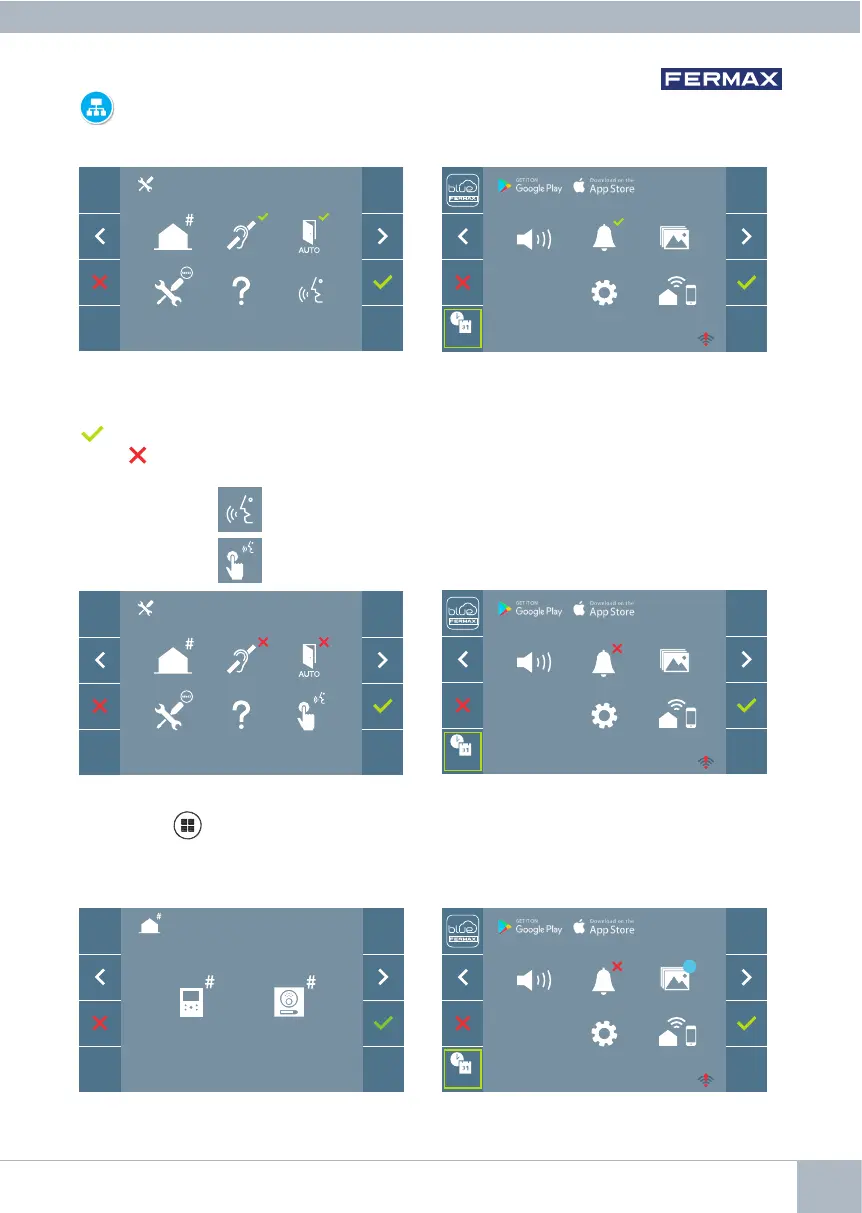
Screen: ADMINISTRATOR menu Screen: USER Menu
Press the MENU button to directly access:
- The Administrator Menu Monitor Programming option, if the monitor is not programmed.
- the User Menu screen, if the monitor is programmed.
Screen: Monitor Programming option on
the ADMINISTRATOR Menu.
Screen: USER Menu
The Induction Loop, Do Not Disturb and Doormatic icons will change depending on
whether they are enabled/disabled. If they are enabled, a green tick will be displayed
in the top right-hand corner of the icon, whereas if it is disabled you will see a red
cross . The conversation mode icon will change depending on the selected mode:
Screen: ADMINISTRATOR menu Screen: USER Menu
Hands-Free Mode
SIMPLEX MODE (Push to Talk)
F2
_ _ : _ _
_ _ : _ _
F2
_ _ : _ _
_ _ : _ _
F2
_ _ : _ _
_ _ : _ _
99














 To Next Page