DUOX PLUS WIFI VEO XS MONITOR 13
The monitor will not function if it has not been programmed!
Note: The blue LED, when blinking slowly, indicates that the monitor is not programmed -
once the monitor address is programmed this will be indicated by a continually lit red LED.
There are three options for programming the monitor from:
A) From the Monitor.
B) From the Panel
C) From the Doorbell.
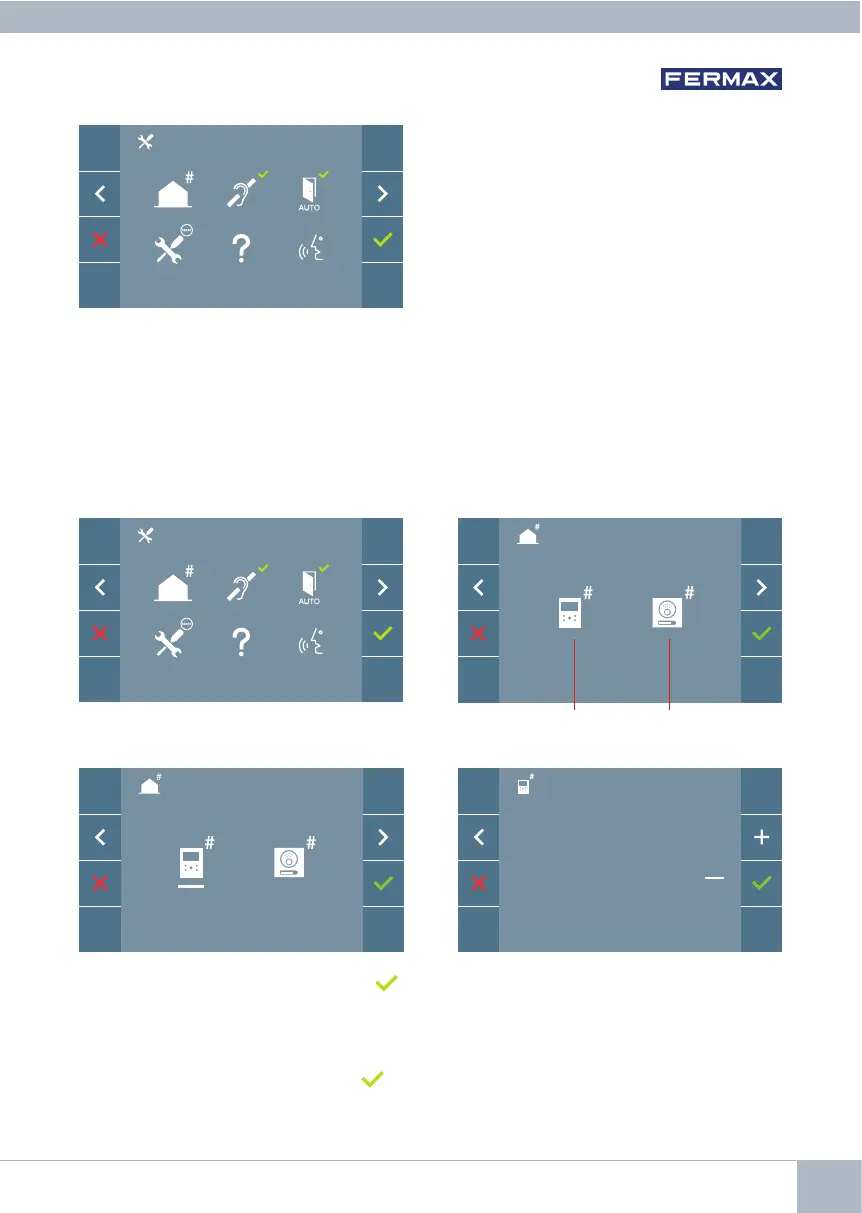
3.1 ADMINISTRATOR MENU: Monitor address PROGRAMMING
From Monitor From Panel
A) From the Monitor.
There are several options:
1. Monitor address programming.
2. Induction loop.
3. Doormatic.
4. Reset settings.
5. About.
6. Conversation mode
3. PROGRAMMING: ADMINISTRATOR MENU Screen
It is possible to program the monitor using the on-screen menu.
Programming the call number: Press on the screen and access the screen to program
the dwelling number (numbers from right to left).
Each time you press + , the number increases (starting at 1) and the arrow is used for
scrolling. A white cursor indicates the entry position of the digit. Programme the corres-
ponding number and accept it using . Once the monitor address has been programmed,
this will be indicated by a continually lit red LED.
Nº:
0 0 0 0 0 1














 To Next Page