14 DUOX PLUS WIFI VEO XS MONITOR
A differentring toneisproduced, conrmingtheprogramming ofthemonitor,andthe
camera image continues to be displayed. After a few seconds, the monitor will return to
the rest position. Once the monitor address has been programmed, this will be indicated
by a continually lit red LED.
C) From the Doorbell.
The monitor address can also be programmed - via the entrance doorbell .
For this type of operation, the monitor must not be previously programmed.
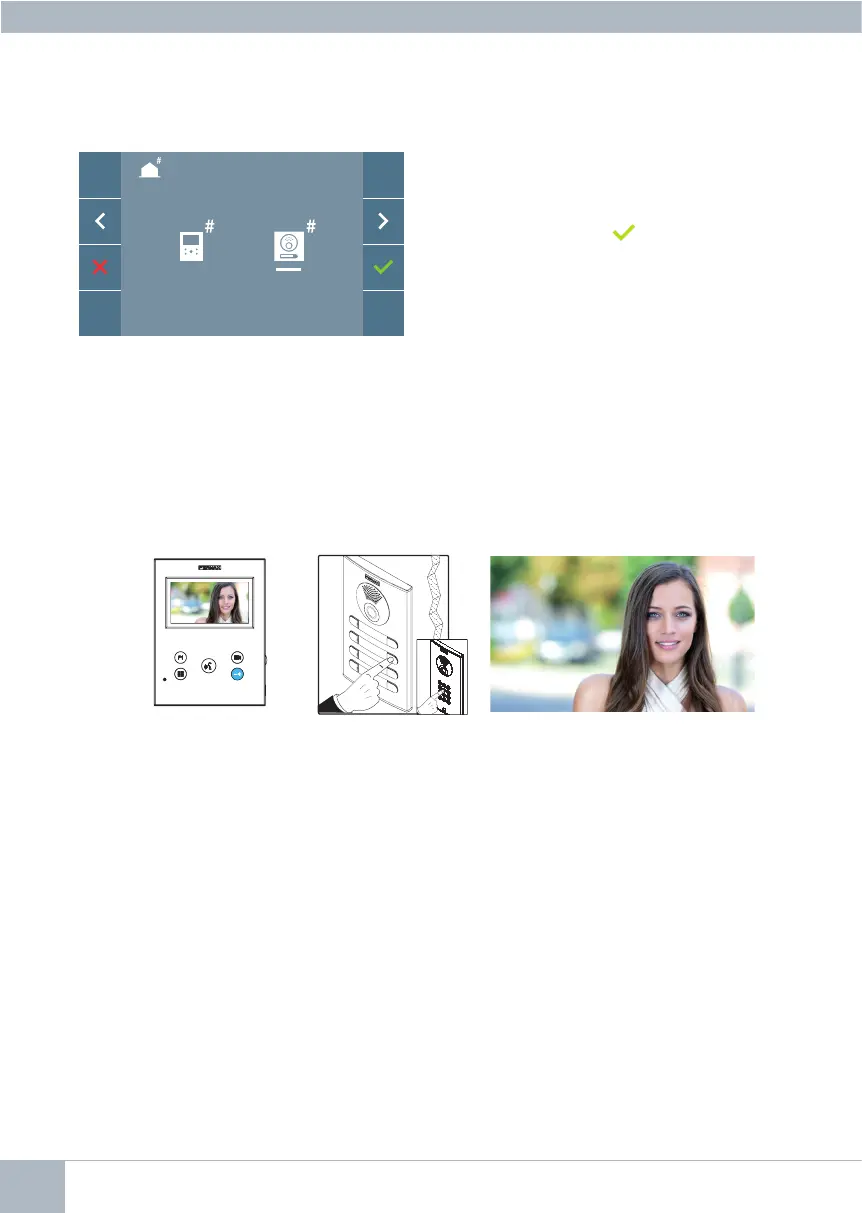
Pressandholdthedoorbellfor5seconds,andyouwillhearabeepconrmingaccessto
the monitor’s programming mode.
The monitor is automatically connected to the outdoor panel by activating the camera.
Enter the calling code for that monitor from the panel, depending on the type of panel
installed:
• By pressing the corresponding button.
• By entering the code + bell.
A differentring toneisproduced, conrmingtheprogramming ofthemonitor,andthe
camera image continues to be displayed. After a few seconds, the monitor will return to
the rest position. Once the monitor address has been programmed, this will be indicated
by a continually lit red LED.
The monitor is automatically connected to the outdoor panel by activating the camera. Enter
the calling code for that monitor from the panel. Depending on the type of panel installed:
• By pressing the corresponding button
• By entering the code + bell.
Notes:
- The period between the monitor programming entry conrmation beep and the call
from the panel to program the monitor address must be less than 2 and a half minutes.
- The panel from which the programming takes place must be designated as the
master panel.
B) From the Panel
Option selected by the white line below the
icon. Pressing this will cause a beep
to be heard on the monitor.














 To Next Page