DUOX PLUS WIFI VEO XS MONITOR 15
Note: A blue LED, blinking slowly, indicates that the monitor is not programmed. As the
reset process erases the programmed monitor address, when the LED is ashing it will
indicate that the reset is nished.
3.2 ADMINISTRATOR MENU: INDUCTION LOOP
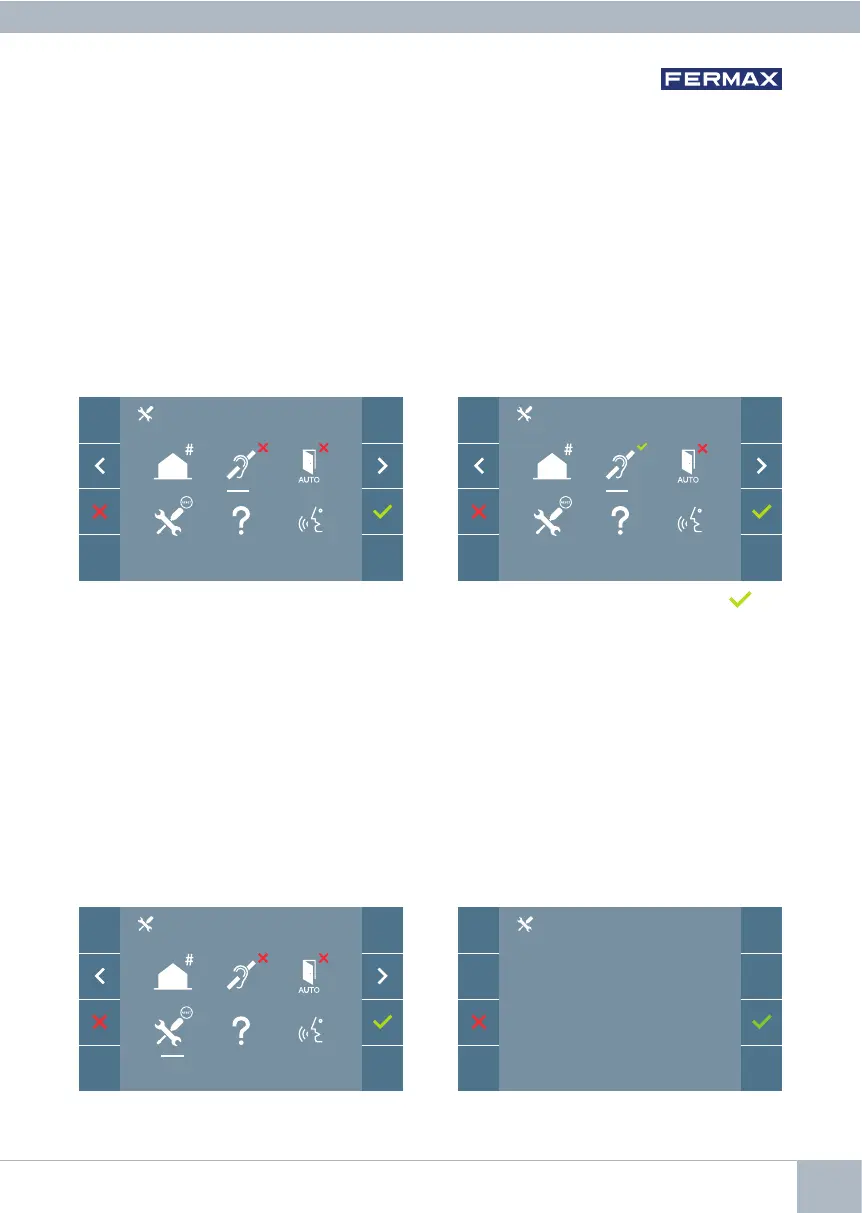
From this screen, you can enable or disable the induction loop included in the monitor
(according to model).
This screen appears on all monitor models, whether or not the
induction loop is included.
Please ask for the appropriate model if you require this function.
Toactivate/deactivatethefunctionyoumustselecttheiconandpressConrm . By
default, the loop is switched off, even in models in which the loop is included.
3.4 ADMINISTRATOR MENU: RESET SETTINGS
The installer can reset the parameters to restore the monitor to the factory default settings,
byselectingandconrmingtheappropriateoption.
Theresetaffectstheuser’scongurationparameters,themonitoraddressandtheactiv-
ation status of the induction loop (if the model has one).
An installer reset returns the status of the monitor to unpaired (disconnected from the
Internet).
3.3 ADMINISTRATOR MENU: DOORMATIC (depending on conguration).
Notes:
- The period between the monitor programming entry conrmation beep and the call
from the panel to program the monitor address must be less than 2 and a half minutes.
- The panel from which the programming takes place must be designated as the master
panel.
RESET?














 To Next Page