16 DUOX PLUS WIFI VEO XS MONITOR
4. PROGRAMMING: USER MENU Screen
Pressing the MENU button directly accesses the User Menu screen if the monitor is
programmed.
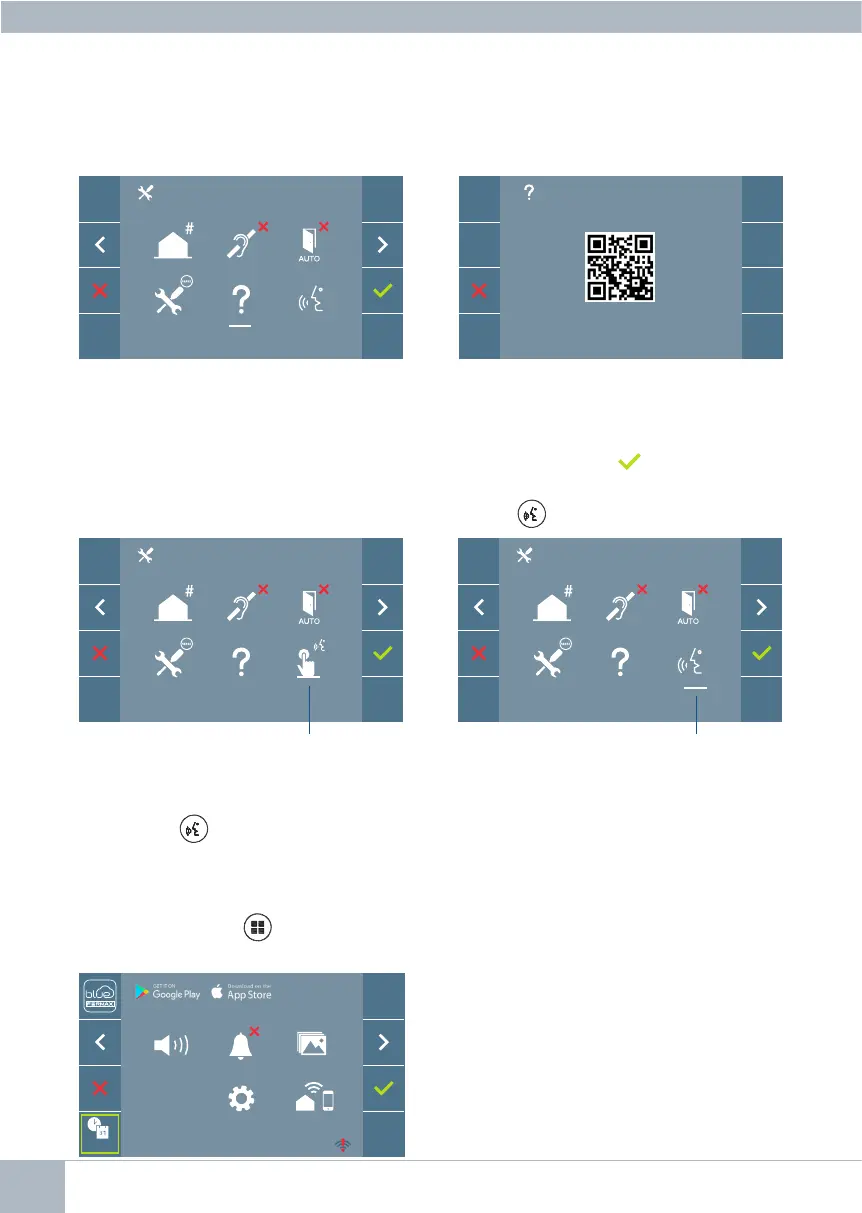
3.6 ADMINISTRATOR MENU: CONVERSATION MODE
Within the administrator menu, you can select between Simplex and Hands-Free mode.
By selecting the icon in conversation mode and pressing the icon you may change
from one mode to another.
Simplex Mode: Push the audio activation button to talk , release to listen.
Hands-free mode is selected by default, see chapter Operation: Answering a call.
Note: In both cases, you can pick up and hang up the receiver with a short press of the
button .
3.5 ADMINISTRATOR MENU: ABOUT
A QR code is displayed on the screen that allows access to the complete monitor docu-
mentation.
simplex
hands-free
There are several options:
1. Monitor volume settings
2. Do Not Disturb function
3. Display images
4. F2 Function
5. User parameter settings
6. WIFI connectivity. Pairing
F2
_ _ : _ _
_ _ : _ _














 To Next Page