20 DUOX PLUS WIFI VEO XS MONITOR
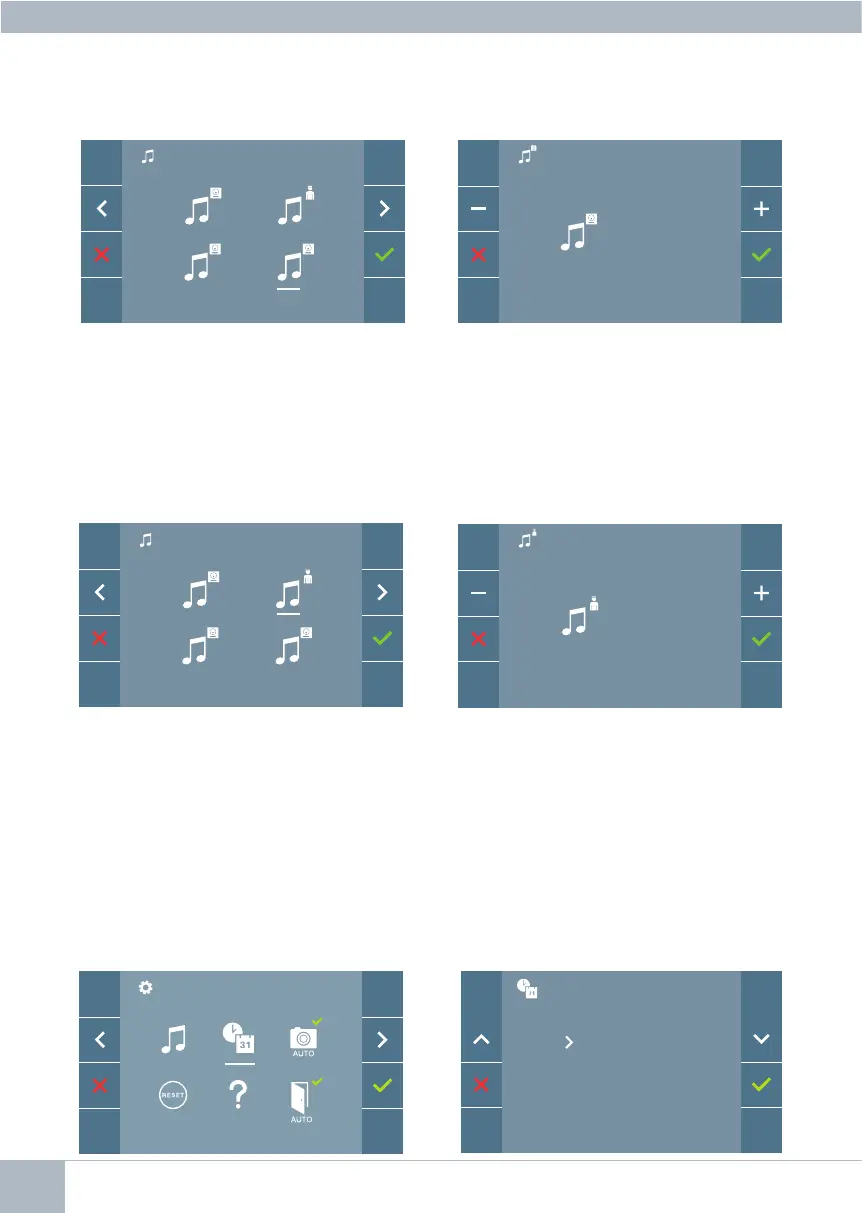
b) Concierge melody selection
By selecting this option you can change
the melody that you hear on the monitor
when the concierge calls that monitor.
Once you have selected the option, you
will see and hear the current melody, and
by pressing the + or -button, you can con-
tinue selecting and listening to the various
melodies available on the monitor.
Once you have selected the option, you
will see and hear the current melody, and
by pressing the + or - buttons you can
listen to and select the various melodies
available on the monitor.
By selecting this option, you can change
the melody you hear on the monitor when
a call is made from the outdoor panel 0 of
the General Entrance.
Panel 0, General Entrance
0
1 G
G
5
3
0
1 G
31/01/2019
01/31/2019
2019/01/31
4.5.2 User parameter settings: DATE AND TIME SETTINGS
TheWIFImonitorautomaticallysynchronizesthetimewiththetimezonewhereitisinstalled
whenever it is paired and connected to the Internet. In this case the date and time cannot be
changed.














 To Next Page