Pag 6
FINGERPRINTFINGERPRINT
FINGERPRINTFINGERPRINT
FINGERPRINT
FINGERPRINTFINGERPRINT
FINGERPRINTFINGERPRINT
FINGERPRINT
A d d
REMOTE UNIT
FOR ACCES CONTROL
+
321
7 8 9
0
x
-
654
x
21 8 9
.....
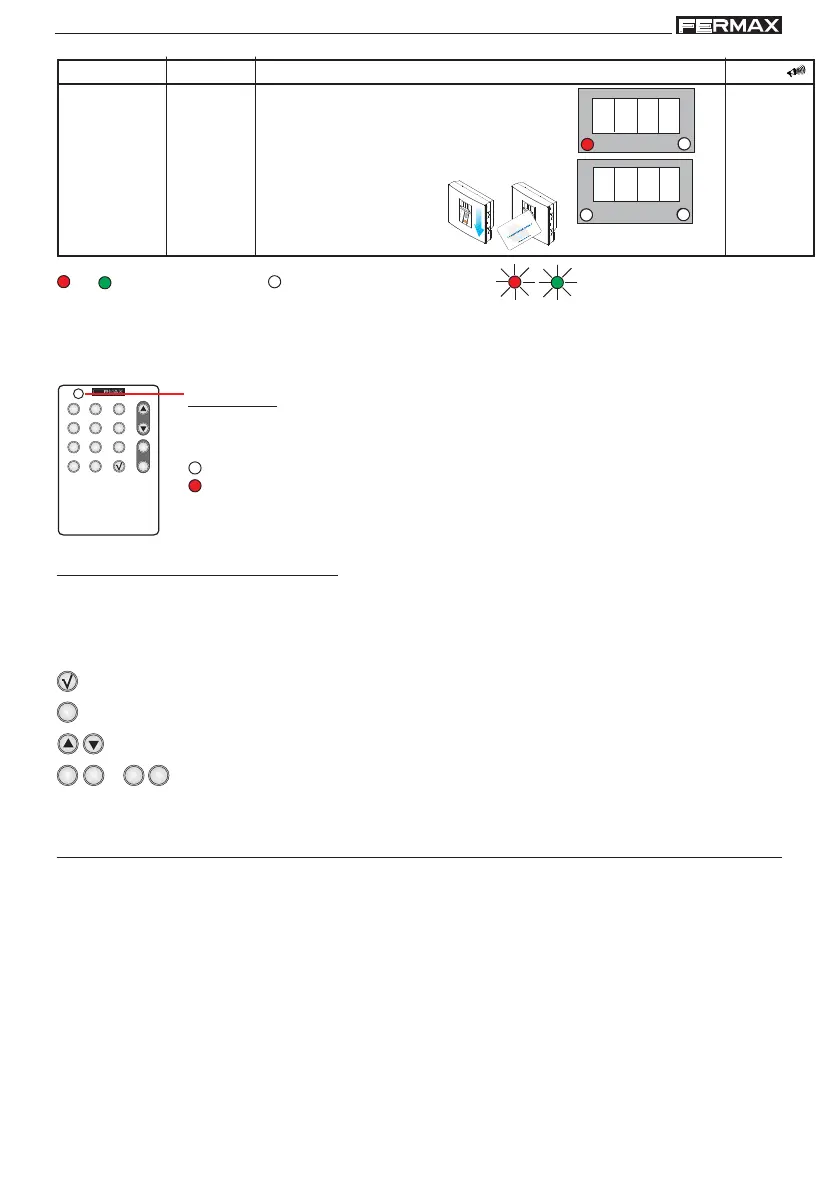
Led
Sound
Display/leds
- Enter the master
fingerprint/card.
1 beep
Enter Programming Mode
Standby Mode
resulting action
Data
Initial action
Enter master
fingerprint/
card
b)
Registered
Enter
Programming
Mode
Led On Led Off Led Flashing
The system is programmed with the Master fingerprint/card and a remote infrared keypad.
This function can be used for:
a) Data Entry
b) Menu Selection
Key Functions
Led Off. Does not transmit any signal.
Red Led On. Correct Transmission.
The led lights up every time any of the keypad’s keys are pressed.
Indications:
Confirmation Key
Cancel Key. Exit Programming Mode
Scroll Keys in Menus
Data Entry Keys
SUMMARY steps to enter/exit programming mode
Any time you wish to enter or exit Programming Mode you must follow these steps:
- to Enter Mode: enter master fingerprint/card.
- to Exit Mode: press the cancel button (X). The reader will automatically exit
programming mode after 60 seconds of inactivity.



 To Next Page