Pag 17
FINGERPRINTFINGERPRINT
FINGERPRINTFINGERPRINT
FINGERPRINT
FINGERPRINTFINGERPRINT
FINGERPRINTFINGERPRINT
FINGERPRINT
0001
Beeeep!
987
654
321
A
B
0
OK
987
654
321
A
B
0
321
4
B
+
)(
21
4
B
+
)(
3
4
3
Err
NO OK
987
654
321
A
B
0
987
654
321
A
B
0
Beep!
321
4
B
+
)(
21
4
B
+
)(
3
4
3
REMOTE UNIT
FOR ACCES CONTROL
+
321
7 8 9
0
x
-
654
REMOTE UNIT
FOR ACCES CONTROL
+
321
7 8 9
0
x
-
654
1 bip
REMOTE UNIT
FOR ACCES CONTROL
+
321
7 8 9
0
x
-
654
A d d
E r A
0 0 0 0
A L L
REMOTE UNIT
FOR ACCES CONTROL
+
321
7 8 9
0
x
-
654
REMOTE UNIT
FOR ACCES CONTROL
+
321
7 8 9
0
x
-
654
3
0 0 0 0
REMOTE UNIT
FOR ACCES CONTROL
+
321
7 8 9
0
x
-
654
0 y
E r A0 0 0 3
User ID only functioning
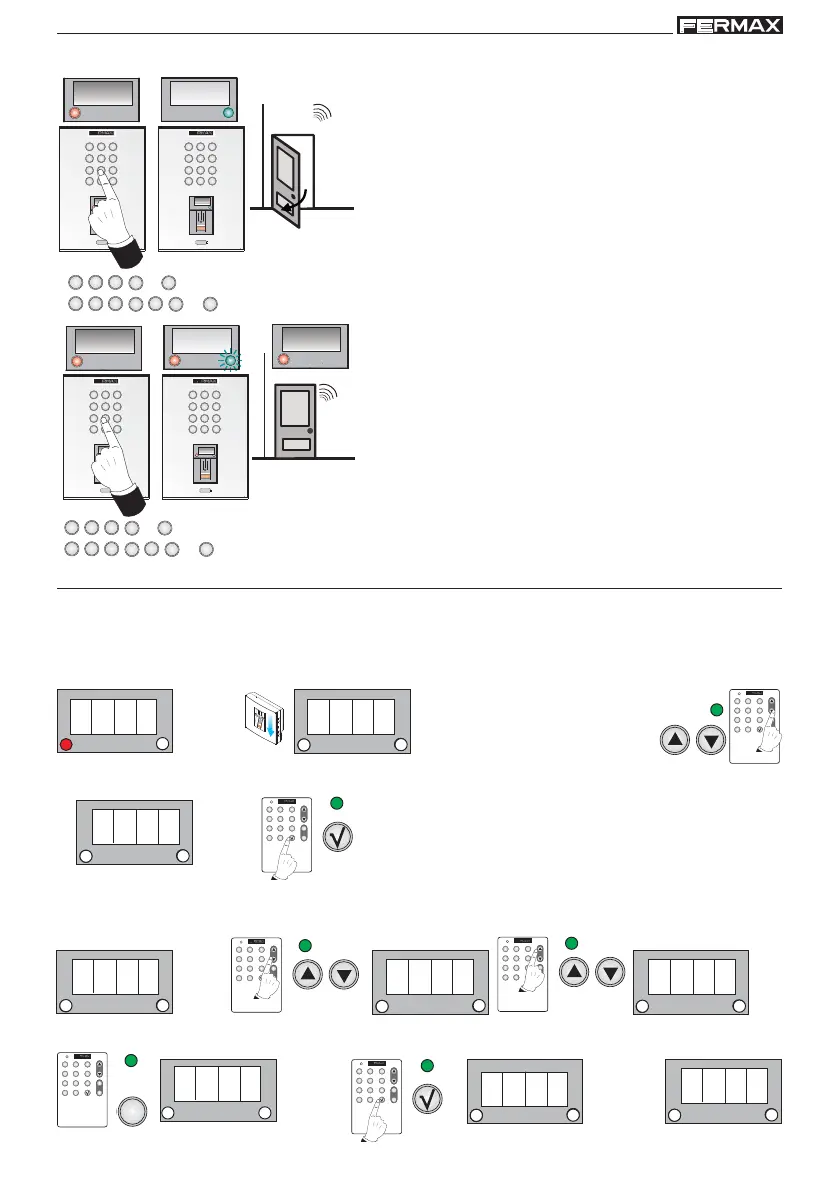
Delete Users (ErA)
A registered user can be deleted by entering their user number. There is also another
option for deleting all users on the reader.
a) Delete Users by way of their "user number"
Standby Mode
2. Search using the menu’s scroll keys:
ErA
1. Enter the master fingerprint
Enter Programming Mode
3. ErA is shown. Confirm with the OK key.
4. 0000 is shown. Using the scroll keys the following sequence will appear: 0000, ALL, 0000.... Select the
following option: 0000 and enter the "user number" that you wish to delete and confirm with the OK key.
1 beep
1 beep
1 beep
For example:
Number of
User 3
1 beep
1 beep
1 beep
For example: Number of User 3



 To Next Page