3.1.3. Network settings
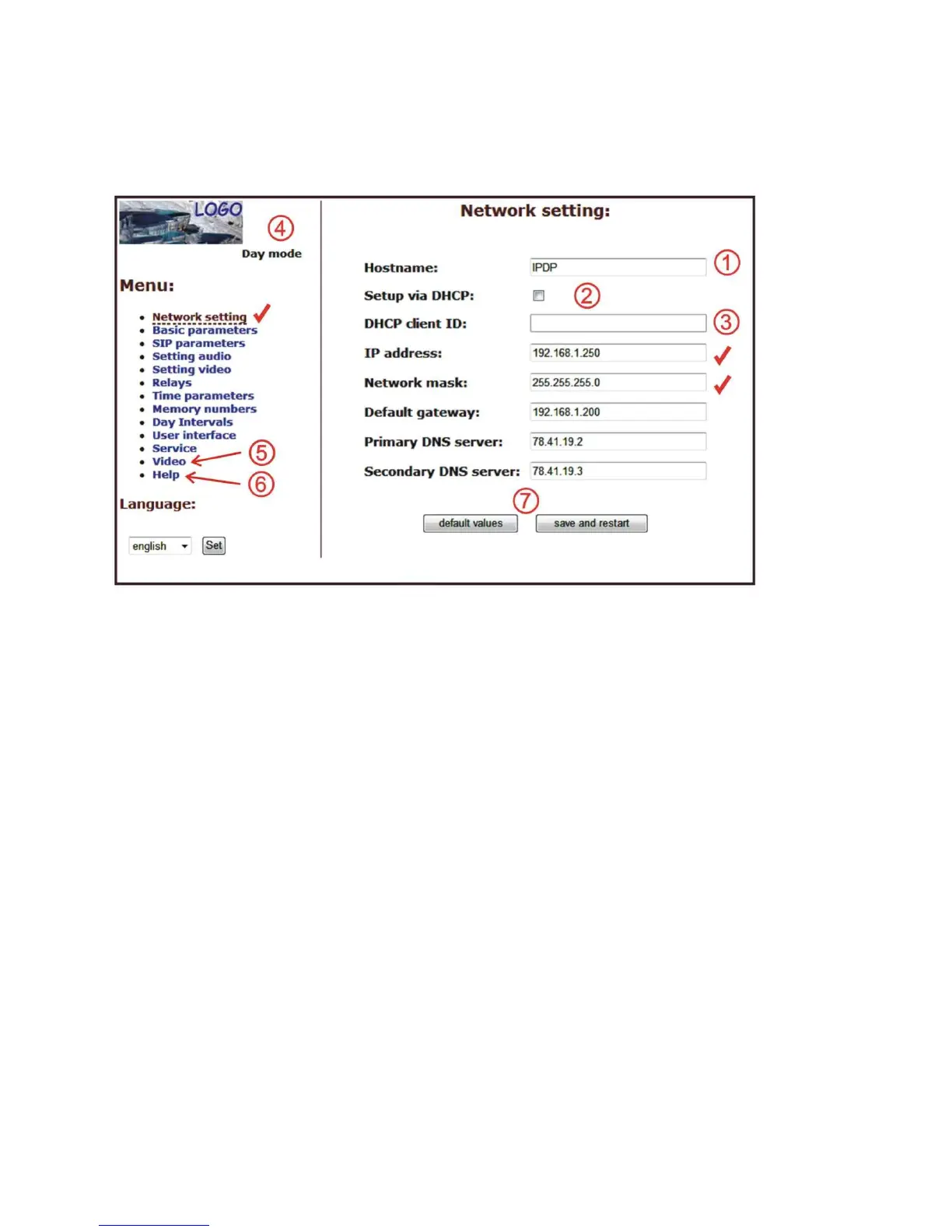
Network settings are located in the Network seting menu item. It is possible to use
DHCP service (1) or you can enter IP addresses manually.
Manual configuration:
After making changes click on a save and restart button.
1. Hostname - name of doorphone for resolution in nets (e.g . while using more
doorphones - more entrance)
2. Enable/disable ethernet settings via DHCP
3. Setting IP address, mask, eventually next network parameters, in case obscurity
contact his IT manager
4. Display actual mode of IPDP - day / night
5. Return on introductory WEB site with display videos from cameras IPDP
6. short help for quick assistance in setting the parameters1 -
7. Default value - presetings to the firm settings. After making changes click on a
save and restart button (display screen - see page 36).













 To Next Page