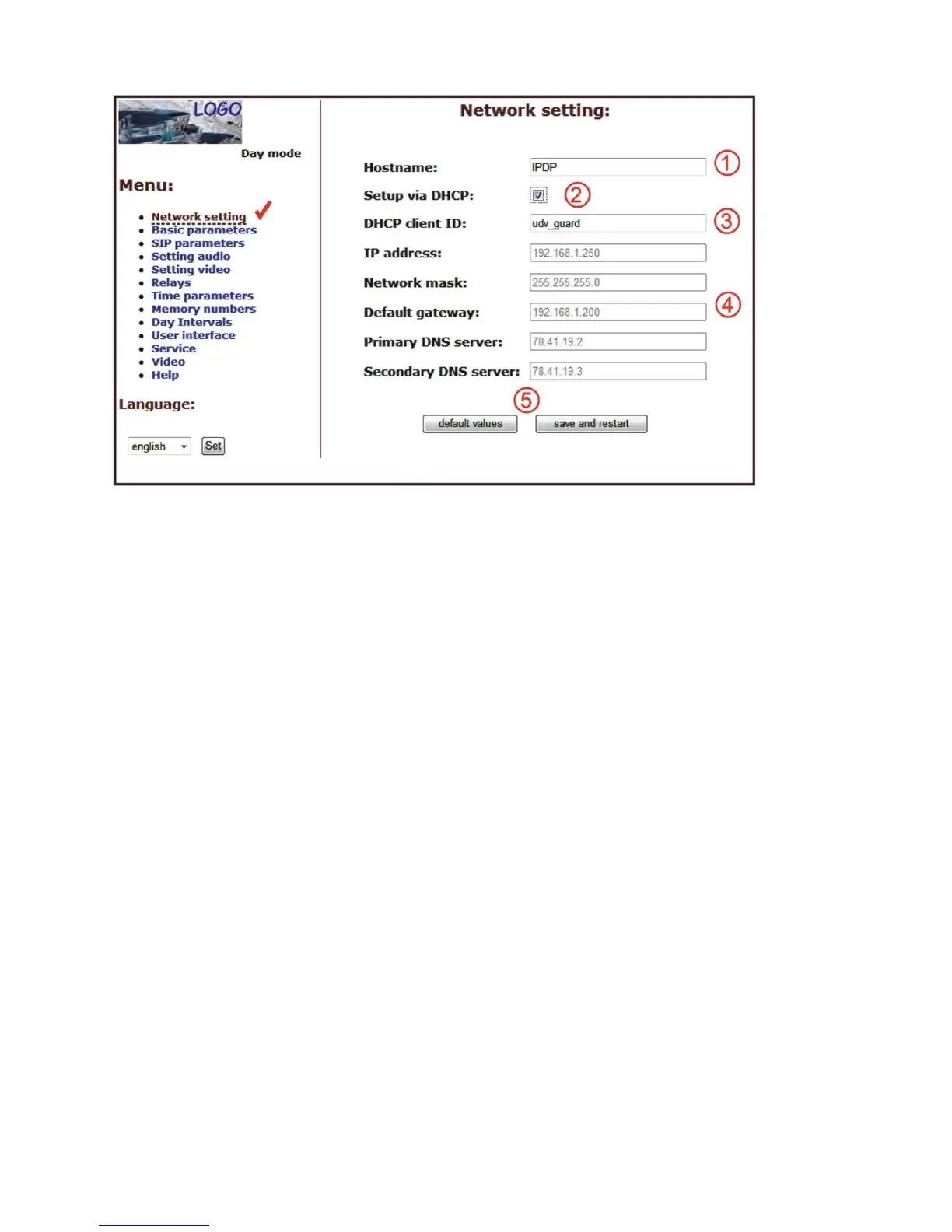
DHCP configuration:
After making changes click on a save and restart button.
1. Hostname - name of doorphone for resolution in nets (e.g . while using more
doorphones - more entrance)
2. Enable/disable ethernet settings via DHCP
3. DHCP client ID is name, which using for assigning two IP address to only thing
the MAC address (in IPDP porter has meaning as far as will be including
internal SIP server)
4. display parameters automatically assign by DHCP - IP address and next
setting
5. Default value - presetings to the firm settings. After making changes click on
a save and restart button (display screen - see page 36).
Important: if you use setup via DHCP, then it‘s assigning IP address to DoorPhone
automatically and network administrator must tell you actual address, to was
possibility display video in web browser. Because assigning IP adress can change after
e.g . failure power supply in object, so they recommended enjoy DoorPhone with
fixed IP address.













 To Next Page