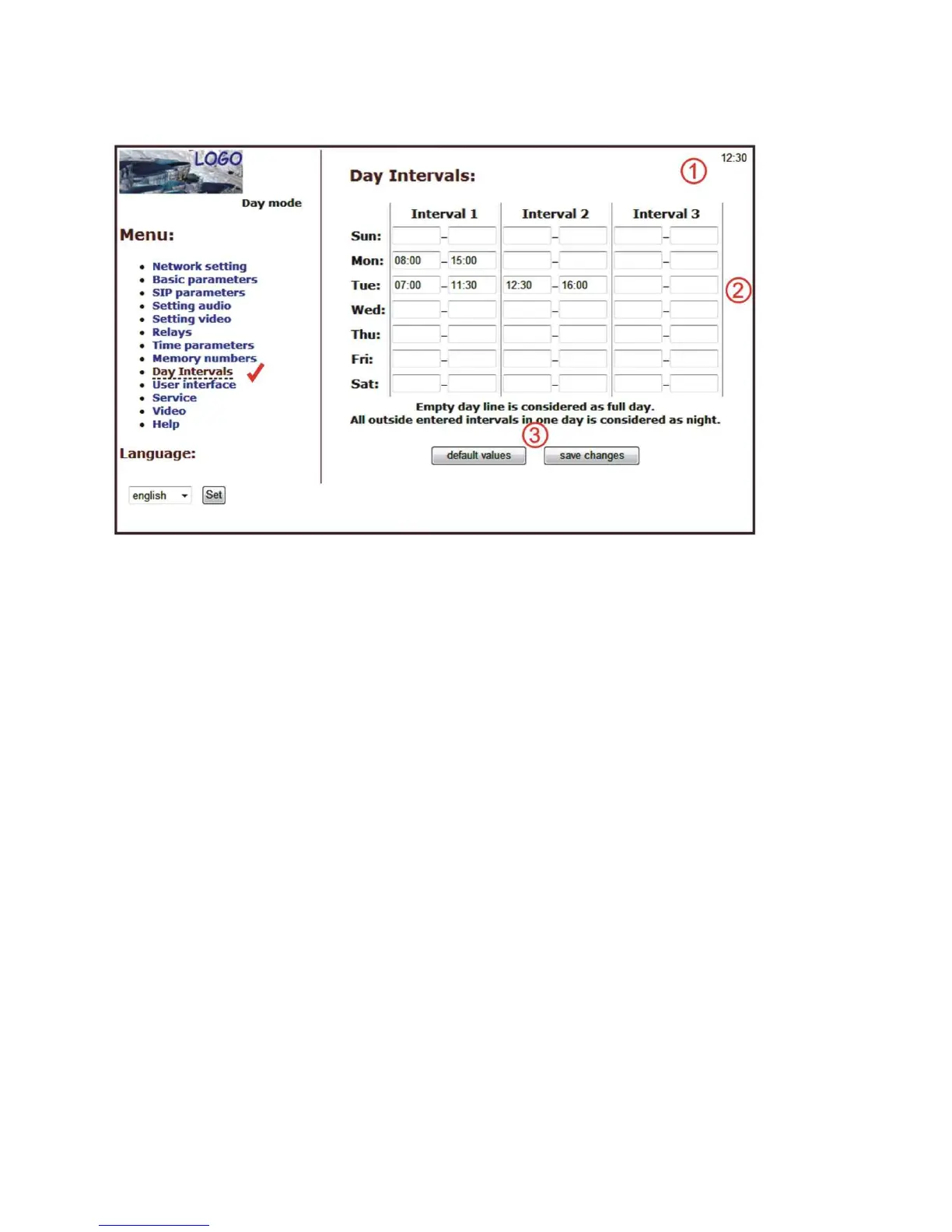
3.1.10. Day intervals
Display only if you check automatic switch Day/Night mode on Basic parameter - page
40.
After making changes use the save changes button.
1. Display actual internal time (you must setting in "Service" time server)
2. Table of time interval - interval is meaning where is day, the rest is night. For
example: interval 1 = 08:00-12:00, interval 2 = 14:00-17:00 - from 00:00 to 7:59 is
night, from 8:00 to 12:00 is day, from 12:01 to 13:59 is night, from 14:00 to 17:00
is day and from 17:01 to 23:59 is night.
3. Default value - presetings to the firm settings. After making changes use the save
changes button.













 To Next Page