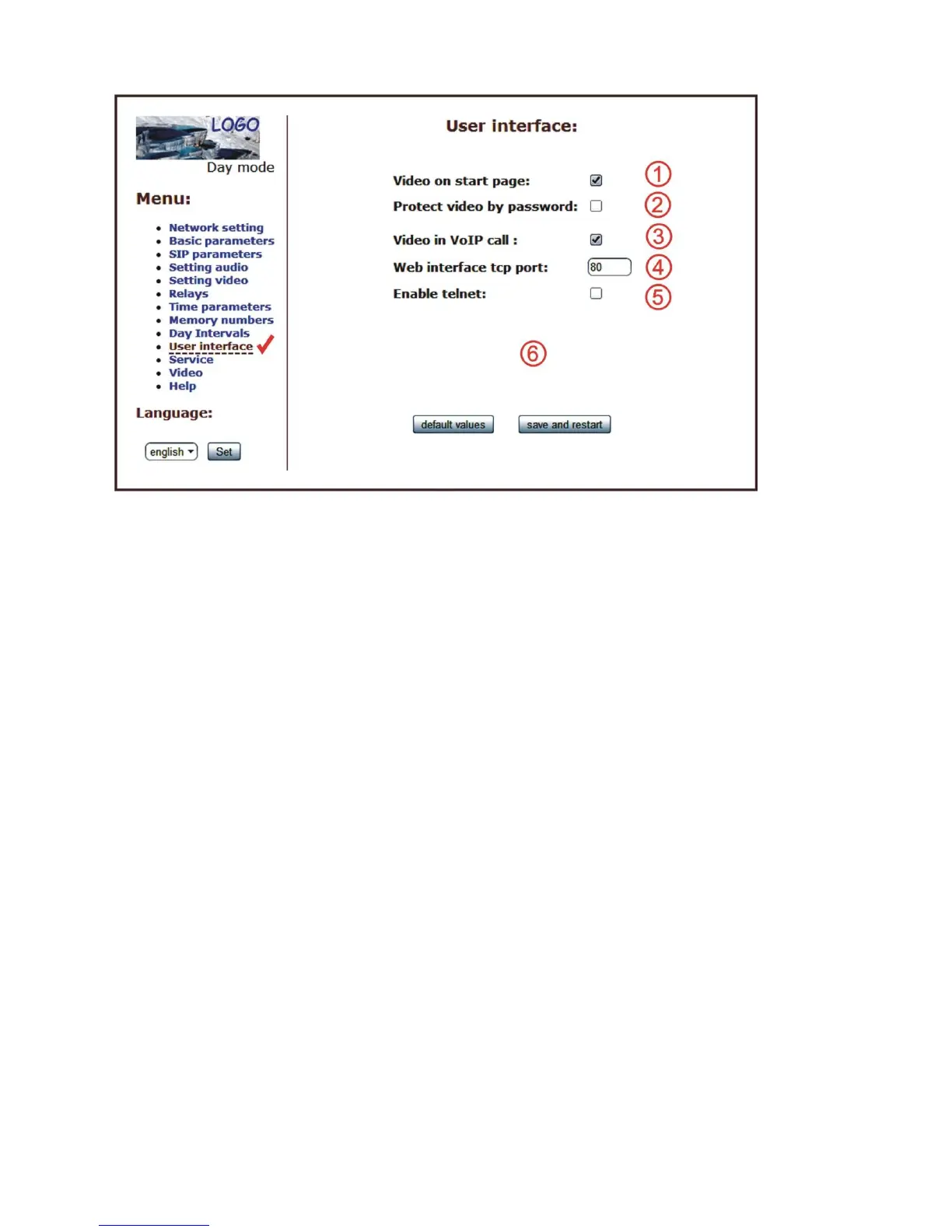
User interface
After making changes use the save changes button.
1. Possibility switch off displaying videos on start page - safety device
2. Additional security is password protection to secure access to
http://ipaddress/video.jpeg (image from the camera).
ATTENTION: this option has the effect that stops function the program PopUp and
videos on the SNOM phone !
3. Possibility switch off video in VoIP call (video in call makes at some systems
problem)
4. Possibility change port from conventional 80 to other
5. Possibility disable / enable access over telnet
6. Default value - presetings to the firm settings. After making changes use the save
changes button.













 To Next Page