Operation
1
A32 operation
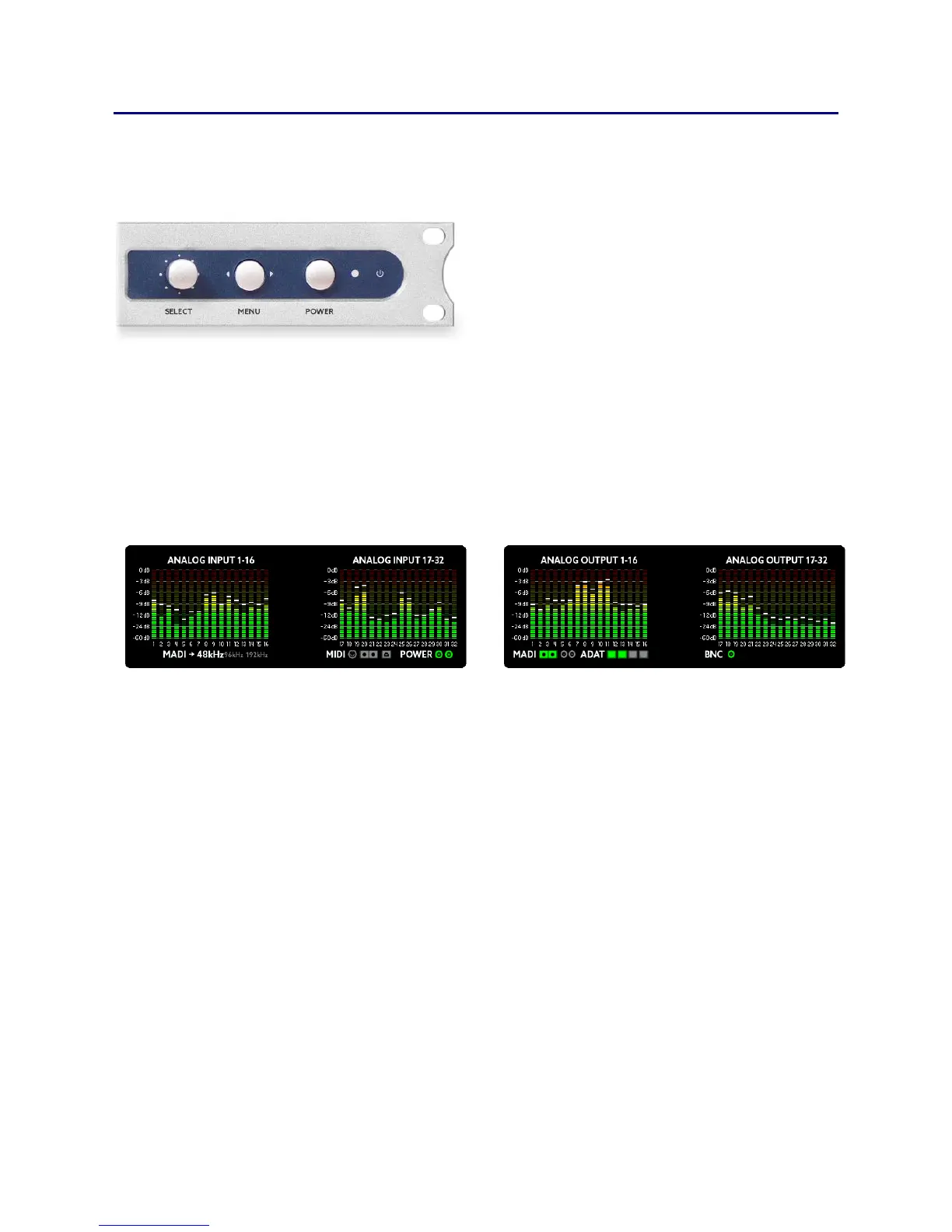
The A32 can be fully controlled from the front panel by using the
SELECT wheel and the MENU button. The POWER button can be used
as a home button and for
switching the unit on and off. It is
also possible to control the A32
via USB, MIDI or MIDI-over-
MADI.
The main screen shows the levels of all 32 analog inputs and outputs as
well as other important status information, so that you always know
what is happening. You can always return to this screen with a short
press of the power button.
The status line beneath the meters shows the following (from left to
right):
The current synchronization source and sample frequency
Whether there is MIDI input from the MIDI plugs, from MIDI-
over-MADI and/or from USB
If power is attached to the left and/or right mains input
Any audio input present on optical MADI, coax MADI and/or
ADAT 1-4. The symbol will be yellow if only audio is received
and green if the input is also synchronous to the sample
frequency
If BNC wordclock input is present



 To Next Page