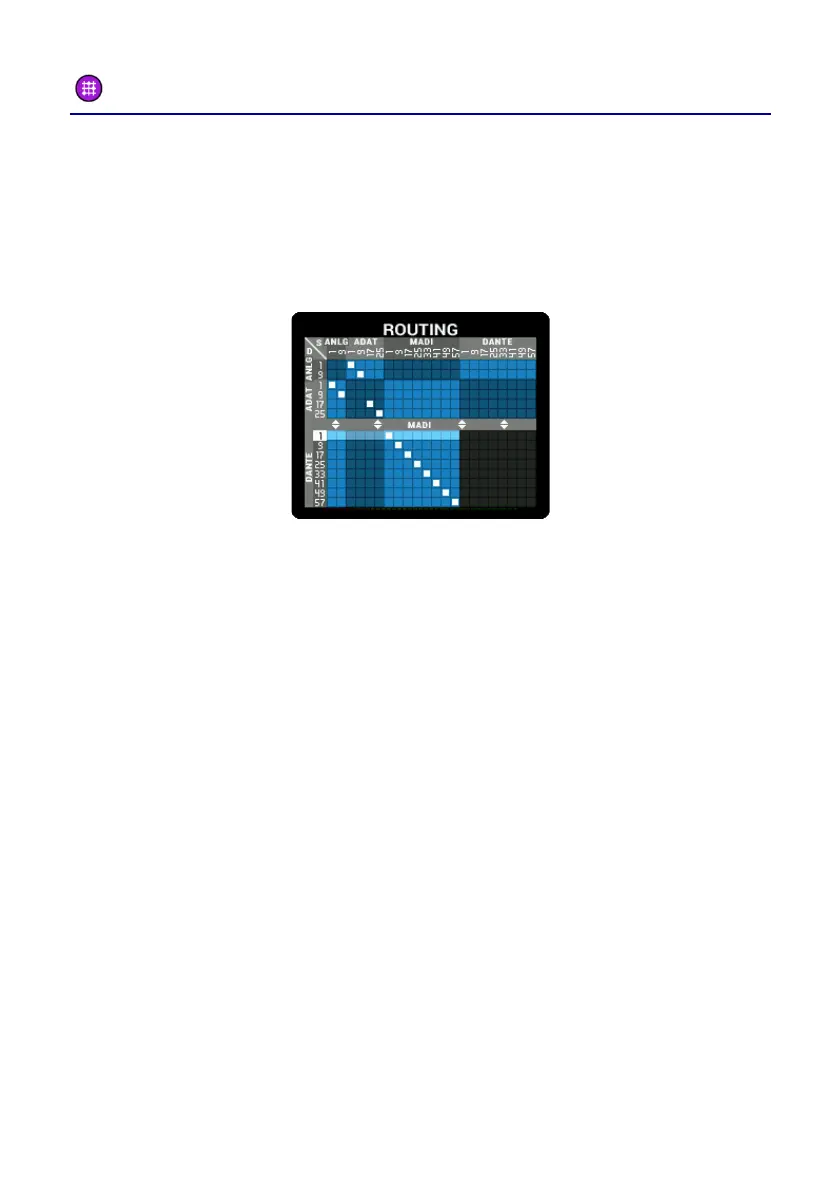
Main Menu – ROUTING
The PULSE16 DX offers an intuitive routing matrix. This matrix is shown
as a grid inside the ROUTING menu. The inputs are shown in the
columns, while the rows represent the outputs. A solid square
between these lines indicates a connection. The routing is done in
channel blocks of eight channels.
To change the routing, please do the following:
• Choosing an output: Use the SELECT pot to select one block of
eight channels (one of the rows).
• Choosing an input: now press MENU to select an input for this
output. Use SELECT to select an input (one of the columns).
• Repeat this process as desired.
Keep the MENU button pressed longer to exit this menu.



 To Next Page